Solo practice
Use reminders to come back, calendar to make time, and logs plus heatmap to see whether the week actually happened.
A drummer, a piano student, a teacher, and a band do not need the same metronome explanation. These pages split the common cases apart.
Use reminders to come back, calendar to make time, and logs plus heatmap to see whether the week actually happened.
Save BPM, meter, subdivision, and starting speed as a preset students can reopen after the lesson.
Save song tempos first, then put them in setlist order so the next tempo is not a stage search.
Drums need subdivisions, guitar needs riffs and chord changes, piano needs piece tempos, vocals and dance need phrase timing.
Reminders, calendar, logs, heatmap, presets, setlists, and Wi-Fi sync each solve a different problem.
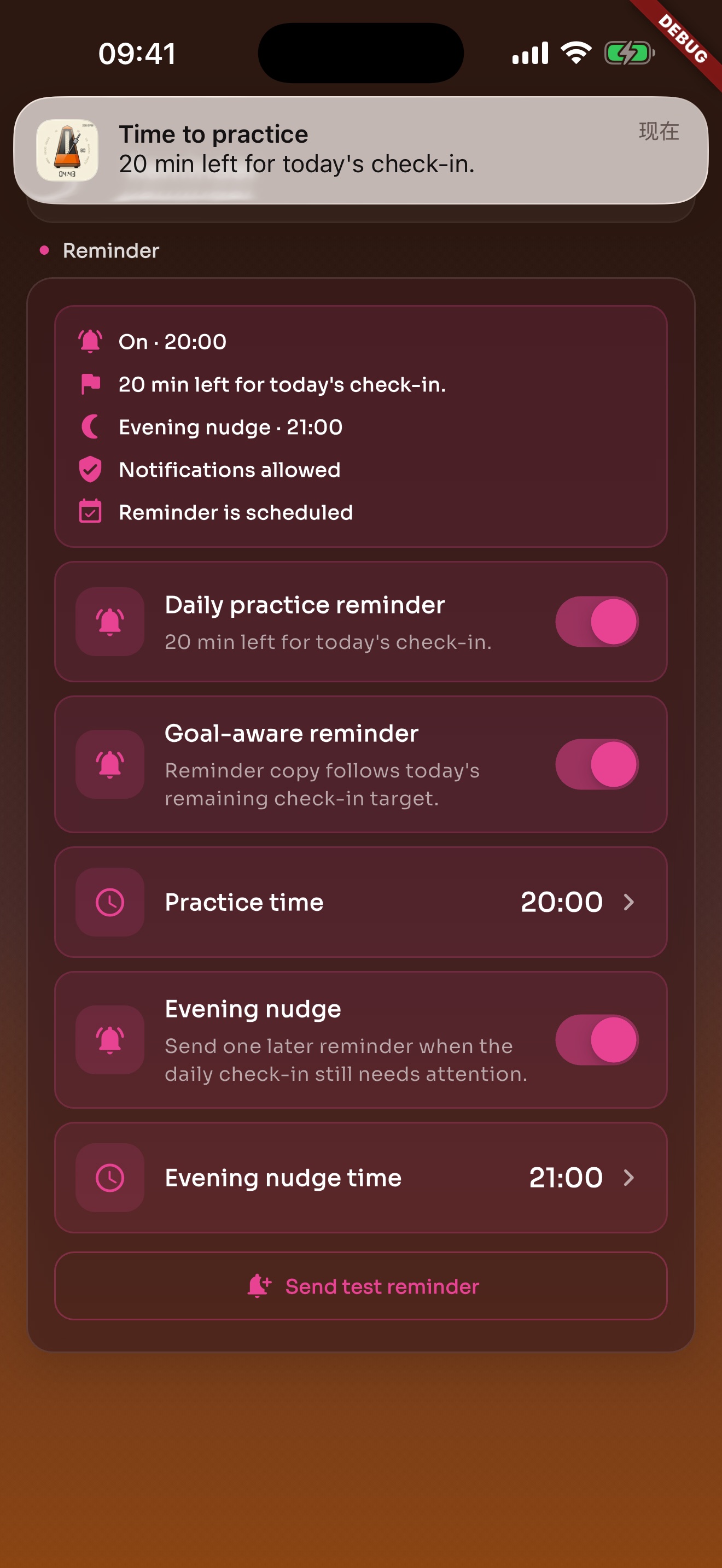
Local reminders default to evening and can be changed or turned off in Settings.
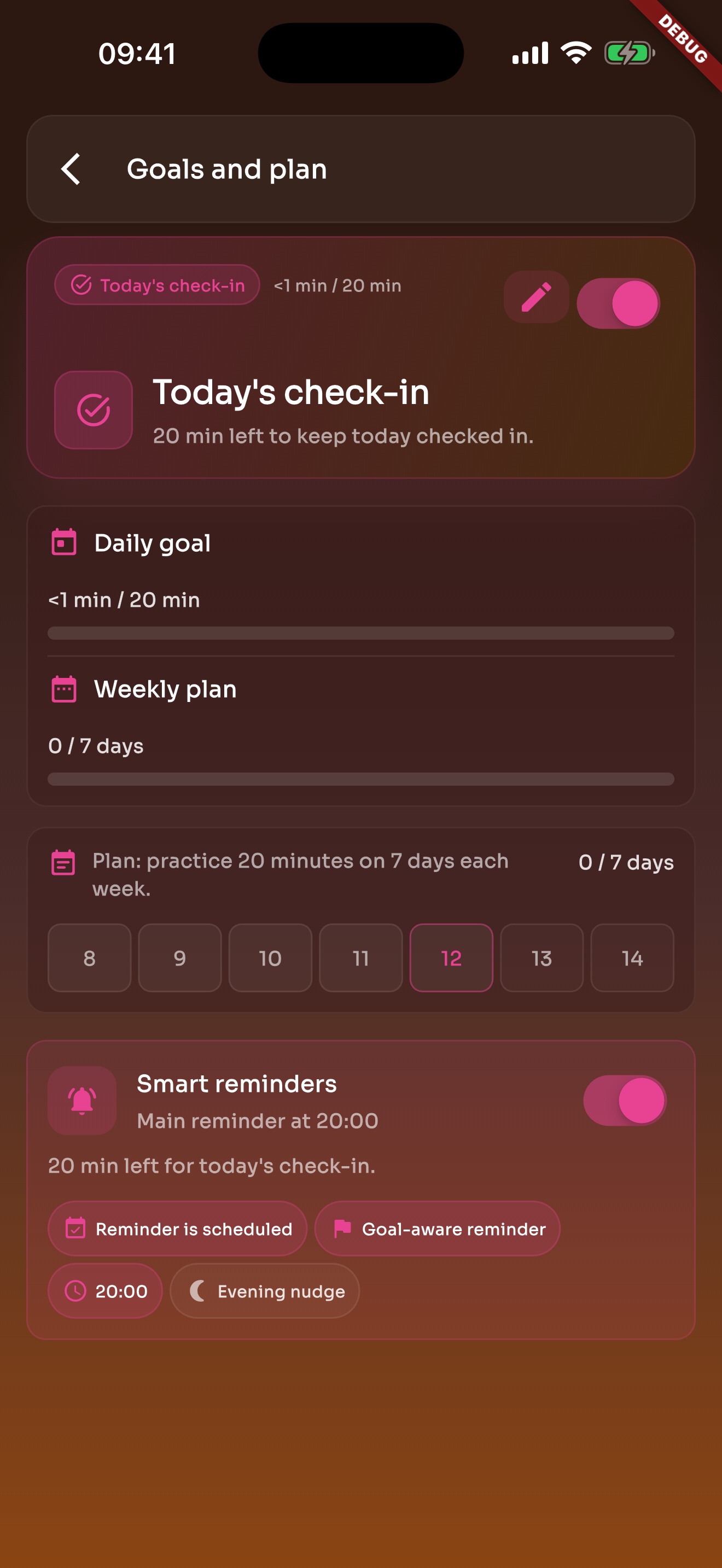
Daily goals and weekly plans bring you back to practice without turning it into heavy admin work.
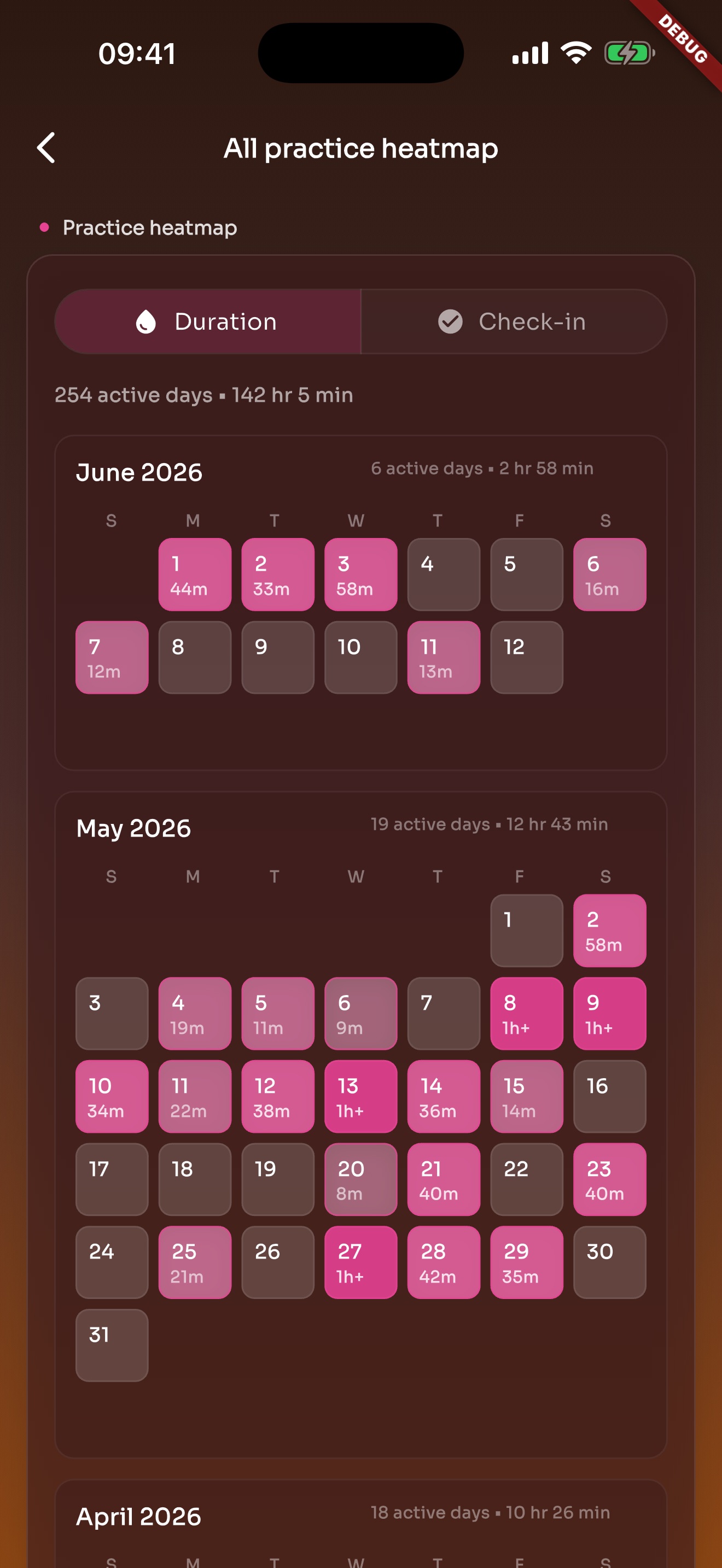
Heatmap turns practice into active days on a calendar, making consistency and gaps easier to see.
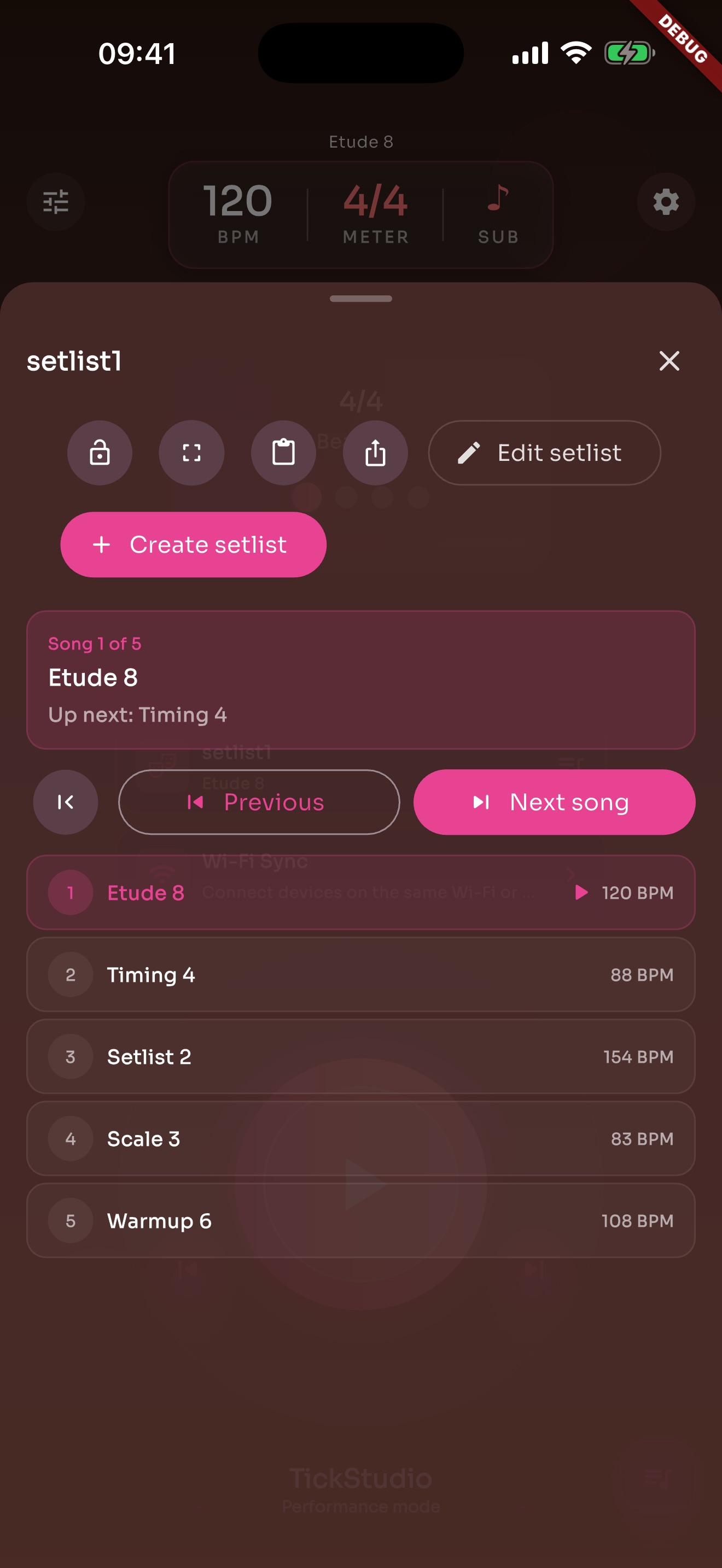
Arrange song presets in rehearsal or stage order so the next tempo is ready.
Local reminders fit a regular practice time and can be turned off whenever you want.
When practice needs a place in the day, calendar entries can keep time, notes, and an app link together.
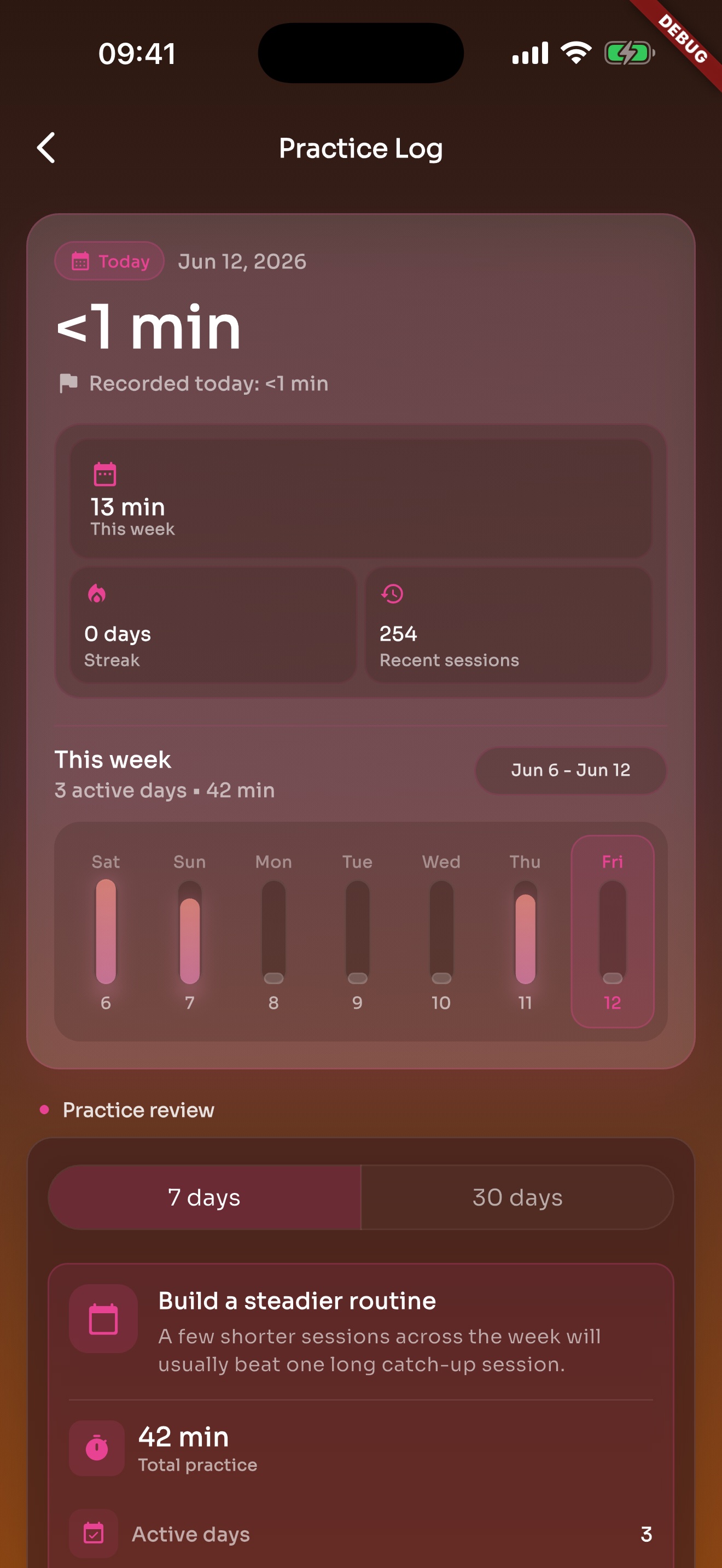
Logs, goals, and heatmap show whether practice continued, not just whether the click opened today.
BPM, meter, subdivision, sound, and count-in can be ready before the lesson starts.
Students get a metronome setup, not only a note that says to practice slowly.
Reminders, calendar entries, logs, and heatmap make the follow-up more concrete.
The next song tempo is already in the list before the transition arrives.
Import and export help before rehearsal, device changes, or sharing stage order.
Apple Watch, visual beat, and Wi-Fi sync cover different rehearsal room and stage situations.
Riffs, chord changes, scales, etudes, and pieces can each keep their own speeds.
Quarter, eighth, triplet, and sixteenth subdivisions expose rushing, dragging, and uneven hits earlier.
Entrances, breath, counts, warmups, and class pacing all need a steady pulse.
The click only covers the minutes it is playing. Practice also needs a start, a record, and a way to know where tomorrow begins.
Use reminders to come back. Put practice in the calendar when it needs a fixed time.
Open a preset with saved BPM, meter, subdivision, sound, and practice speeds.
Leave a record so recent practice, goals, and heatmap know it happened.
TickStudio for drummers: clear visual beat, quarter/eighth/triplet/sixteenth subdivisions, speed ladders, song presets, setlists, logs, and heatmap.
TickStudio for guitar practice: Tap Tempo, riffs, chord changes, speed ladders, subdivisions, reminders, calendar, logs, and setlists.
TickStudio for piano practice: scales, etudes, piece tempos, speed ladders, reminders, calendar, logs, heatmap, and sync.
TickStudio for beginners: slower starts, visual beat, subdivisions, practice speeds, reminders, calendar, check-ins, and heatmap.
TickStudio for band rehearsal: saved song tempos, setlists, Tap Tempo, visual beat, speed ladders, Wi-Fi sync, and rehearsal logs.
TickStudio for live performance: saved song tempos, setlists, rehearsal order, Apple Watch, visual beat, setlist export, and pre-show logs.
TickStudio for daily practice: reminders, calendar, saved presets, practice logs, goals, achievements, heatmap, and speed ladders.
TickStudio for vocal practice: exact BPM, visual beat, subdivisions, song tempos, phrase timing, reminders, calendar, logs, and setlists.
TickStudio for dance practice: exact BPM, visual beat, choreography tempo, warmup counts, reminders, calendar, logs, and setlists.
TickStudio for music teachers: classroom demo, beginner speed, subdivisions, shareable presets, student assignments, reminders, calendar, and practice feedback.
Start with solo practice, teaching, rehearsal, performance, or an instrument page, then save the tempos you repeat.