Tap the rehearsal feel
Tap along with the room, then save the BPM exactly.
When each song has a saved BPM and the order is ready, rehearsal spends less time hunting numbers.
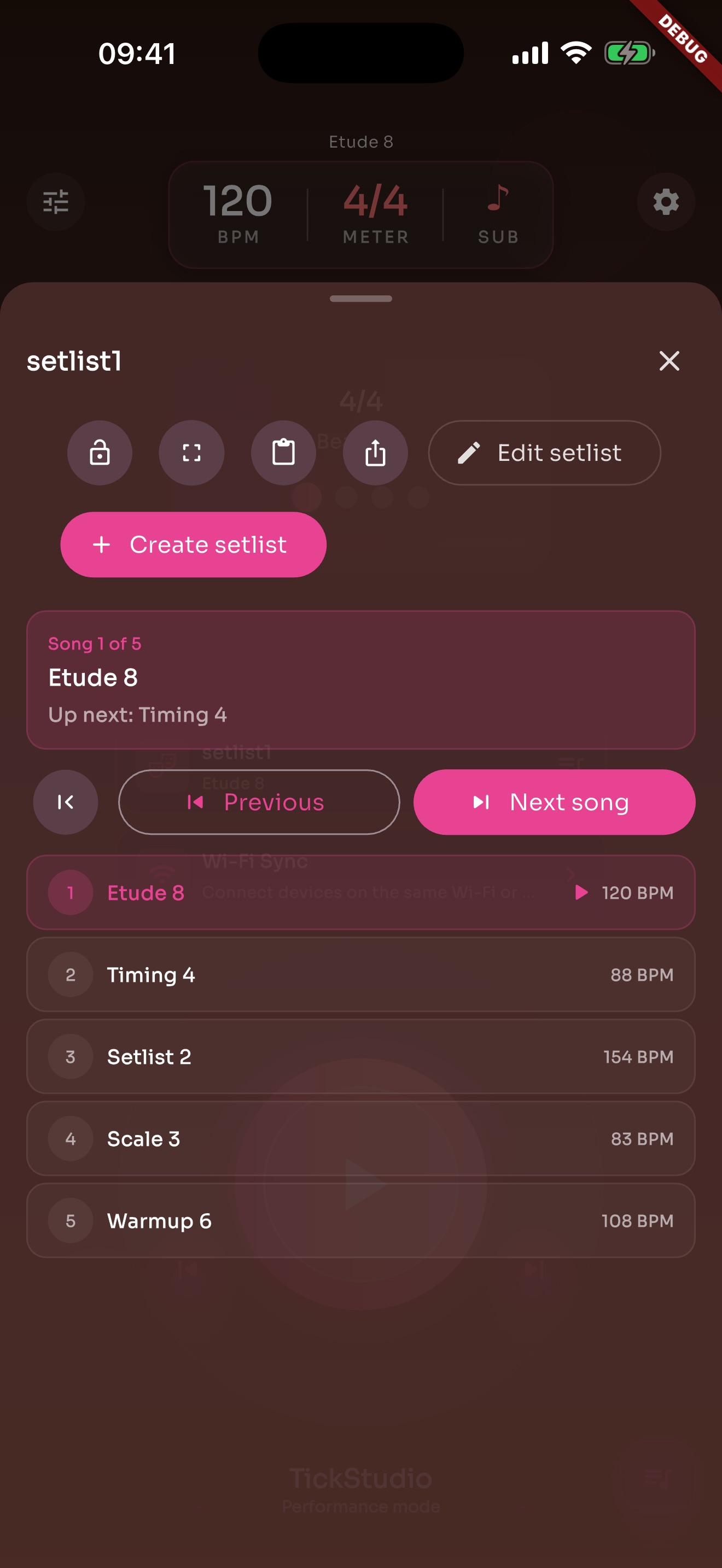
Tap along with the room, then save the BPM exactly.
BPM, meter, subdivision, sound, volume, count-in, and speed ladder can stay with the song.
The band can rehearse below target while keeping the final tempo attached.
Put the songs for this run in the order you need.
The next tempo is ready before the next count-in.
Import and export help with backups, device changes, or sharing rehearsal order.
A loud room still needs a readable pulse.
Local Wi-Fi sync helps when one phone screen is not enough.
Different click sounds and volume levels sit around instruments differently.
Rehearsal runs and problem sections can leave a record.
Recents and history show which songs the band keeps returning to.
Goals and reminders can bring everyone back to the same tempo set.
Each page uses real app screens such as tempo settings, preset editing, practice logs, reminders, heatmap, setlists, and Wi-Fi sync.
Arrange song presets in rehearsal or stage order so the next tempo is ready.
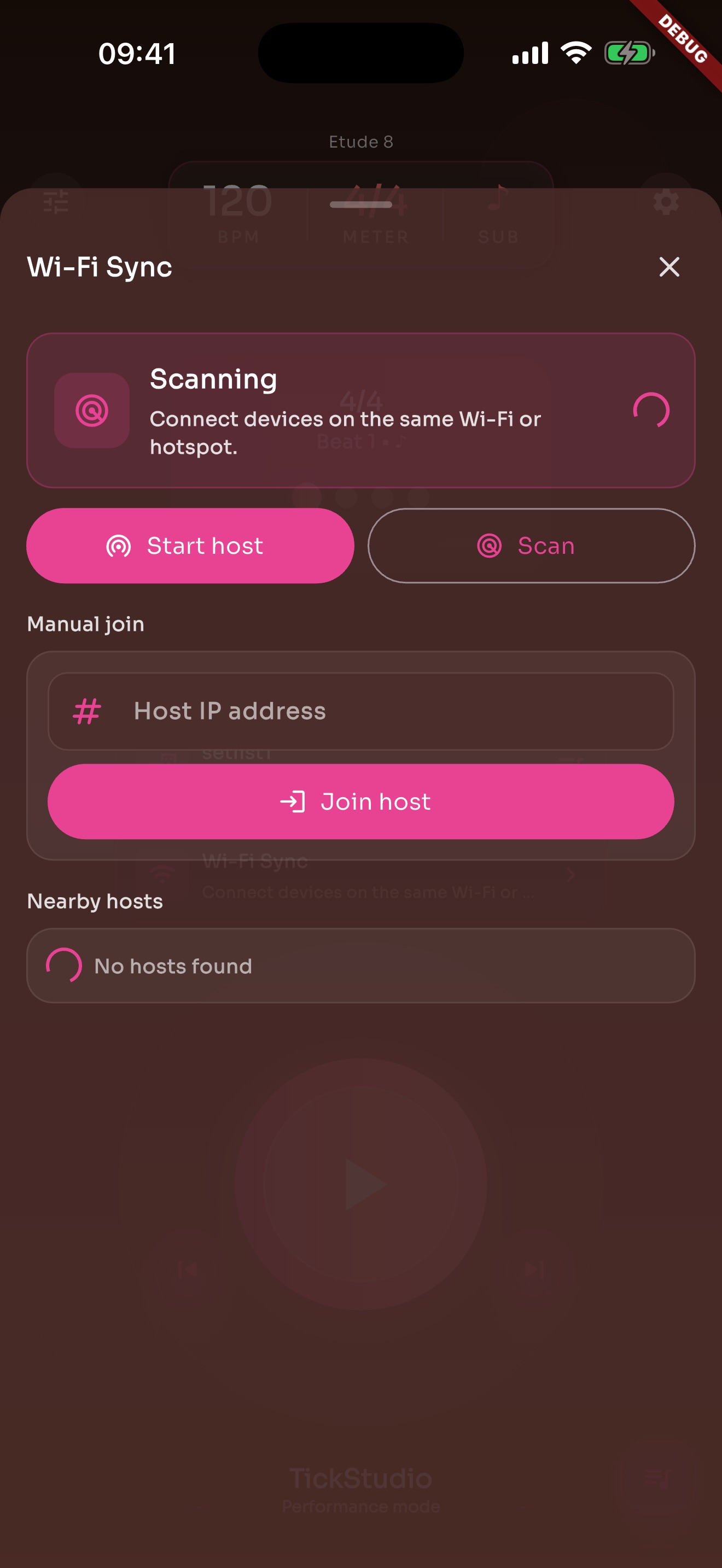
When one phone screen is not enough, local Wi-Fi sync can help supported devices stay aligned.
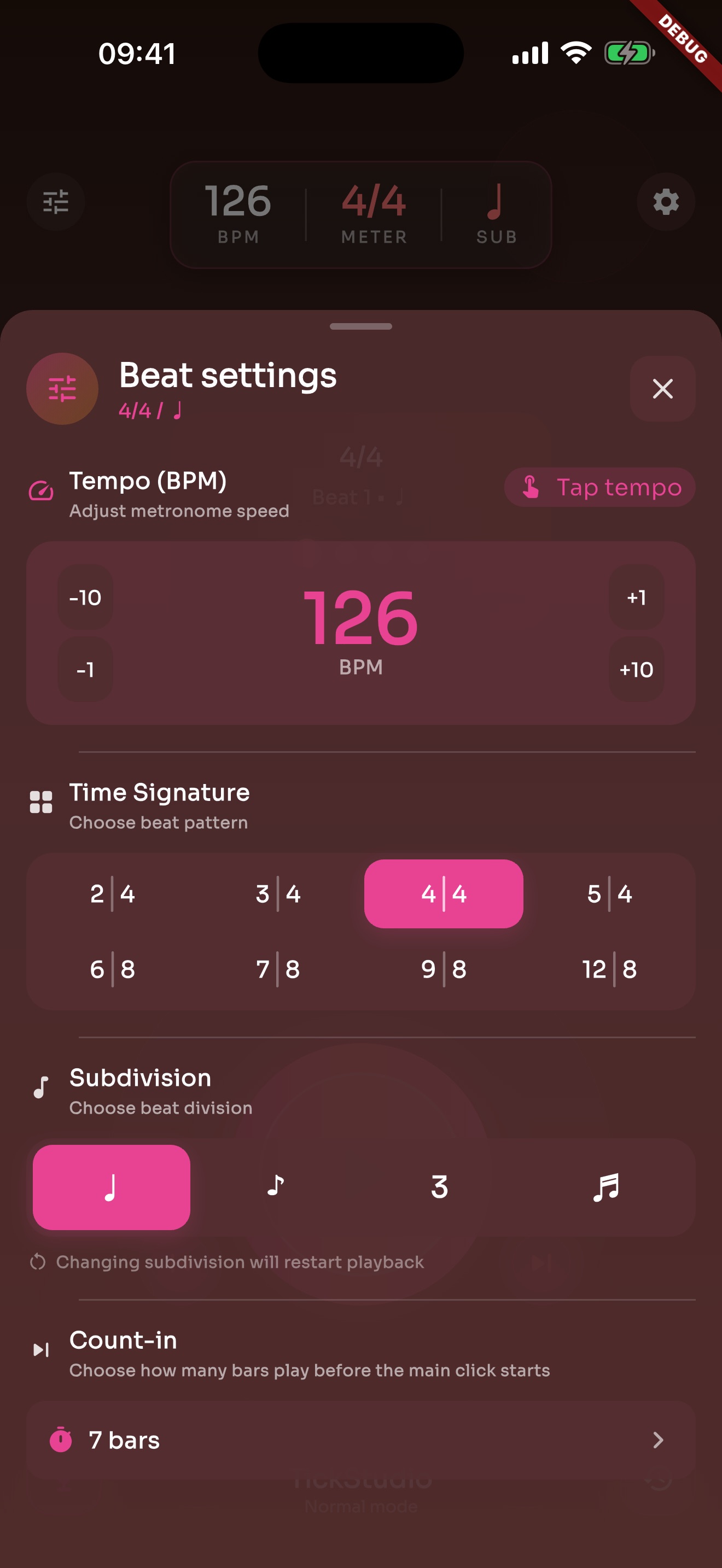
Tap Tempo, count-in, accents, meter, subdivision, click sound, and volume sit in one panel.
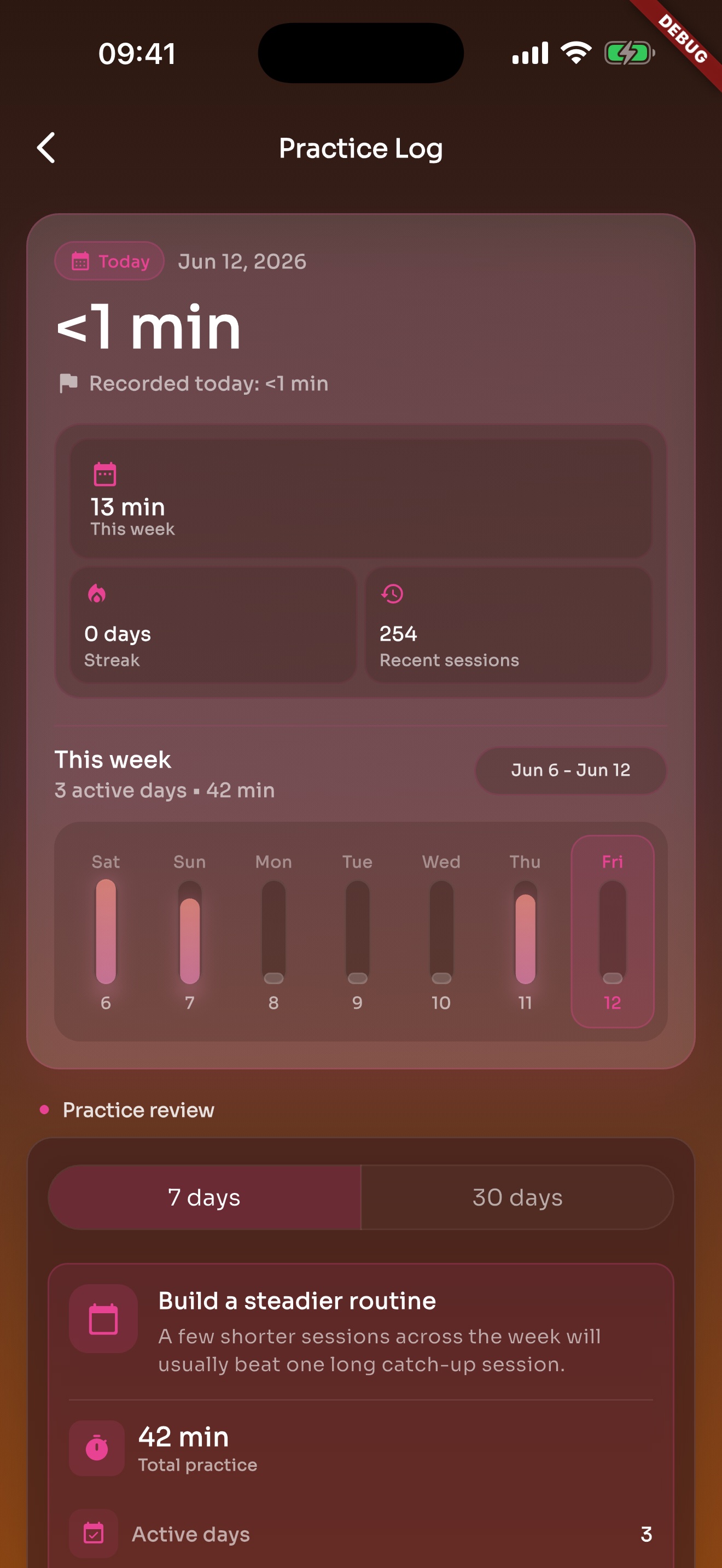
After the click stops, recent practice and history are still there.
Save each song, put the order together, and have the next tempo ready before count-in.