Beginner speed comes first
A slower tempo gives the movement time to line up before the target BPM.
Beginners do not need to chase the target tempo on day one. Start slower, see the beat, and leave a record when practice ends.
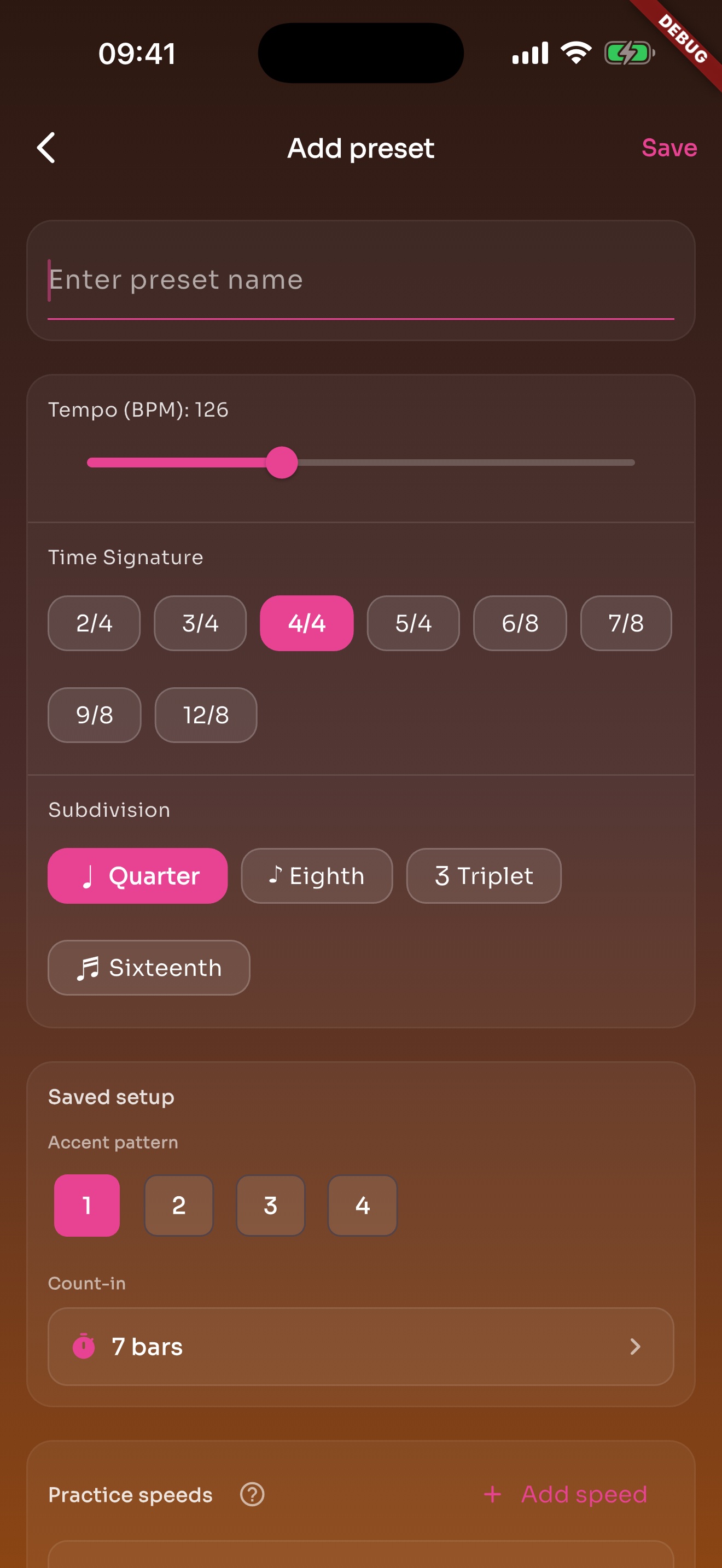
A slower tempo gives the movement time to line up before the target BPM.
Normal tempo stays in the same preset so the direction is not lost.
Practice and challenge speeds make tempo building feel like steps, not guesses.
Visual beat cues help beginners connect the click to motion.
Quarter, eighth, triplet, and sixteenth options are enough to learn layers slowly.
Count-in gives a little space before the music starts.
Local reminders fit a short daily practice habit.
A fixed practice time can appear in the day.
BPM, meter, subdivision, and speed ladder are already there when you open it.
A light record keeps the session from disappearing.
Daily goals and weekly plans point the way without becoming a management task.
It shows which days happened and which days were missed.
Each page uses real app screens such as tempo settings, preset editing, practice logs, reminders, heatmap, setlists, and Wi-Fi sync.
A song or exercise can save BPM, meter, subdivision, sound, volume, count-in, and practice speeds.
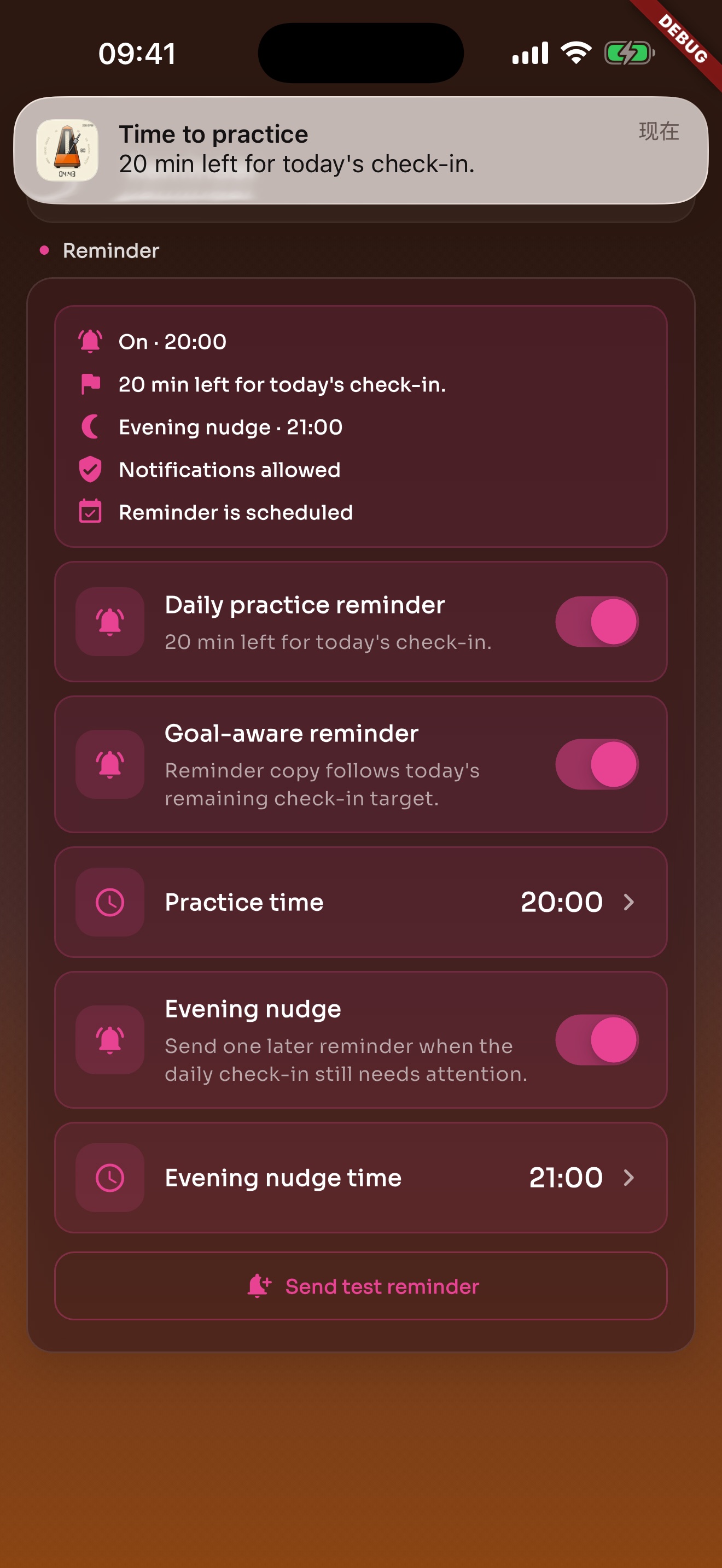
Local reminders default to evening and can be changed or turned off in Settings.
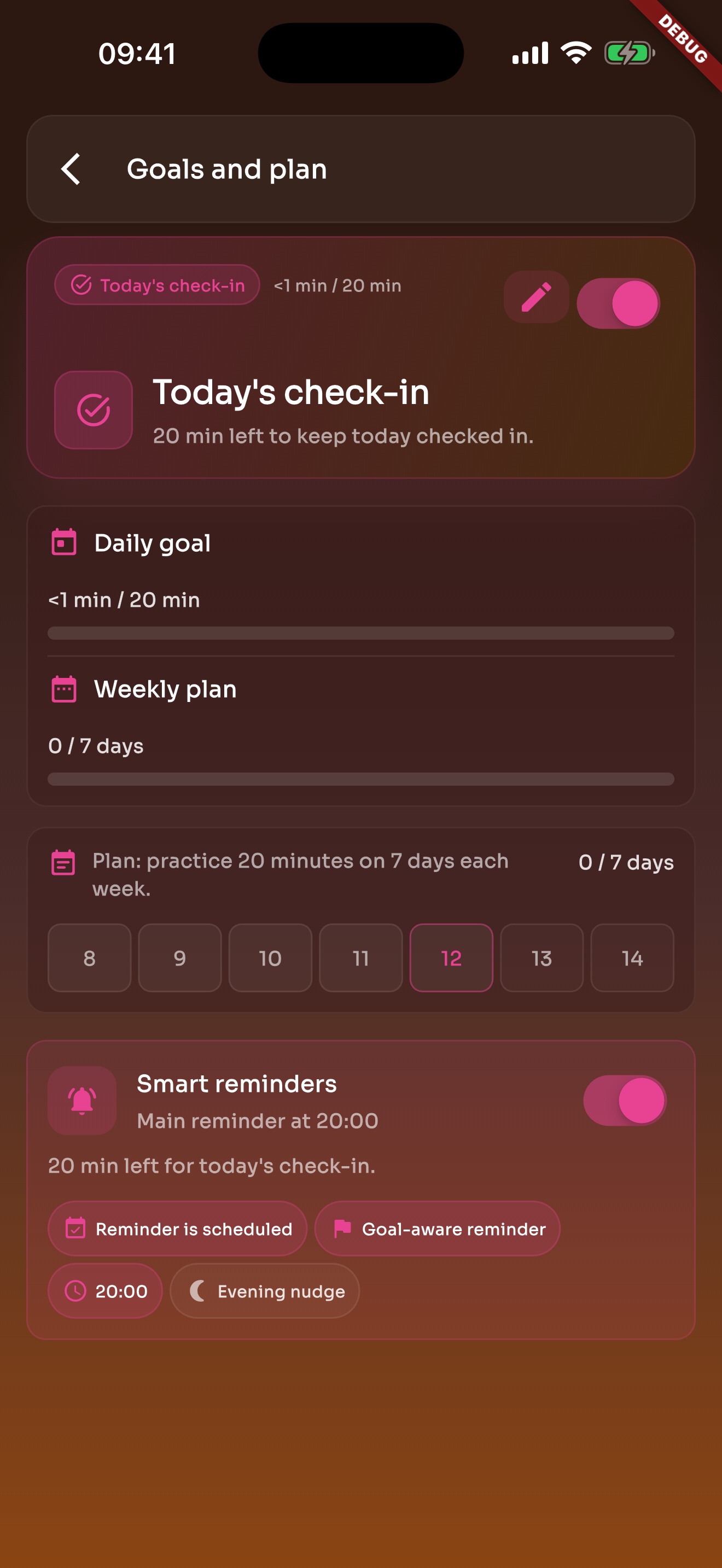
Daily goals and weekly plans bring you back to practice without turning it into heavy admin work.
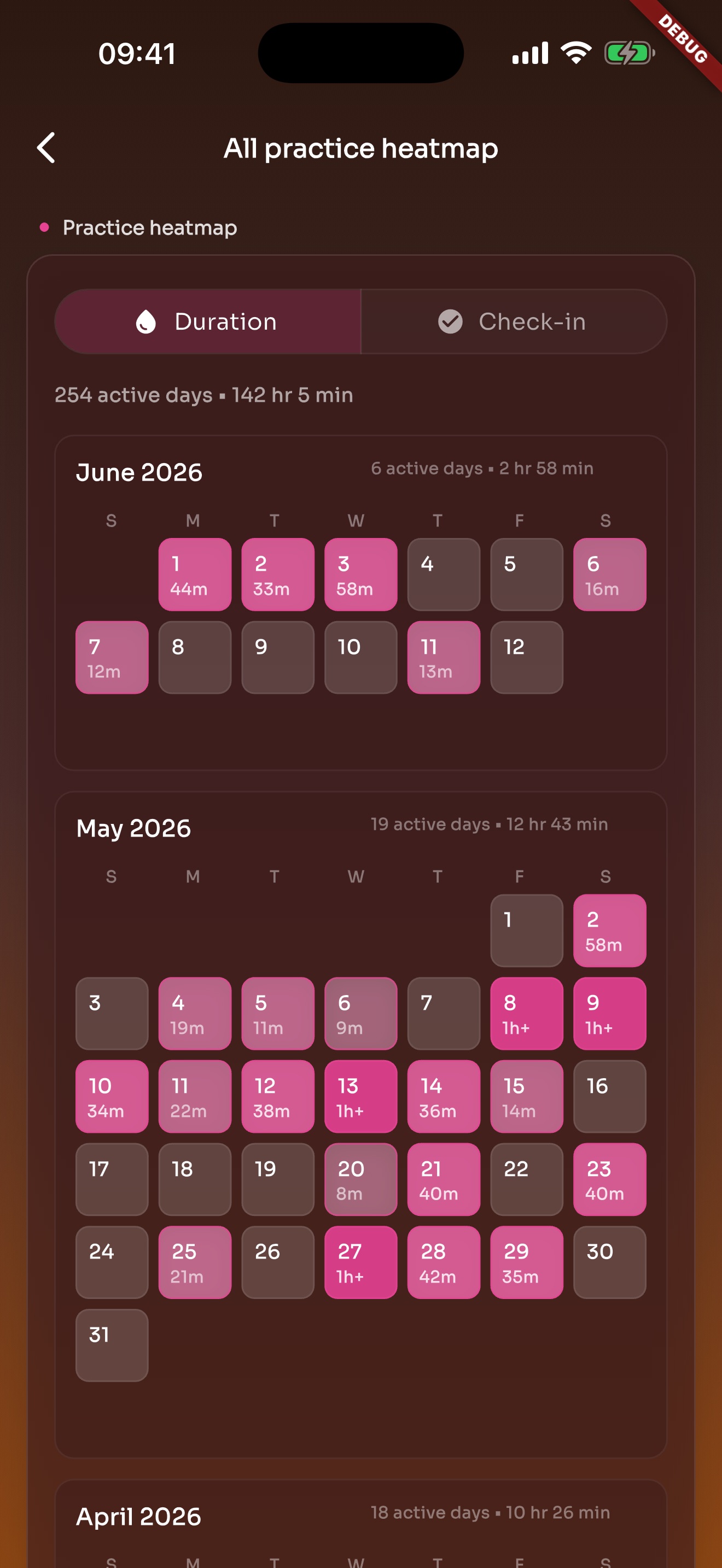
Heatmap turns practice into active days on a calendar, making consistency and gaps easier to see.
Start slower, save the setup, leave a record, and move toward target BPM step by step.