Read the beat in noise
When sound is not enough, visual beat cues help confirm downbeats and the pulse.
Drums, headphones, and rehearsal rooms can bury the click. TickStudio keeps subdivisions, sounds, visual beat cues, and song tempos ready from warmup to rehearsal.
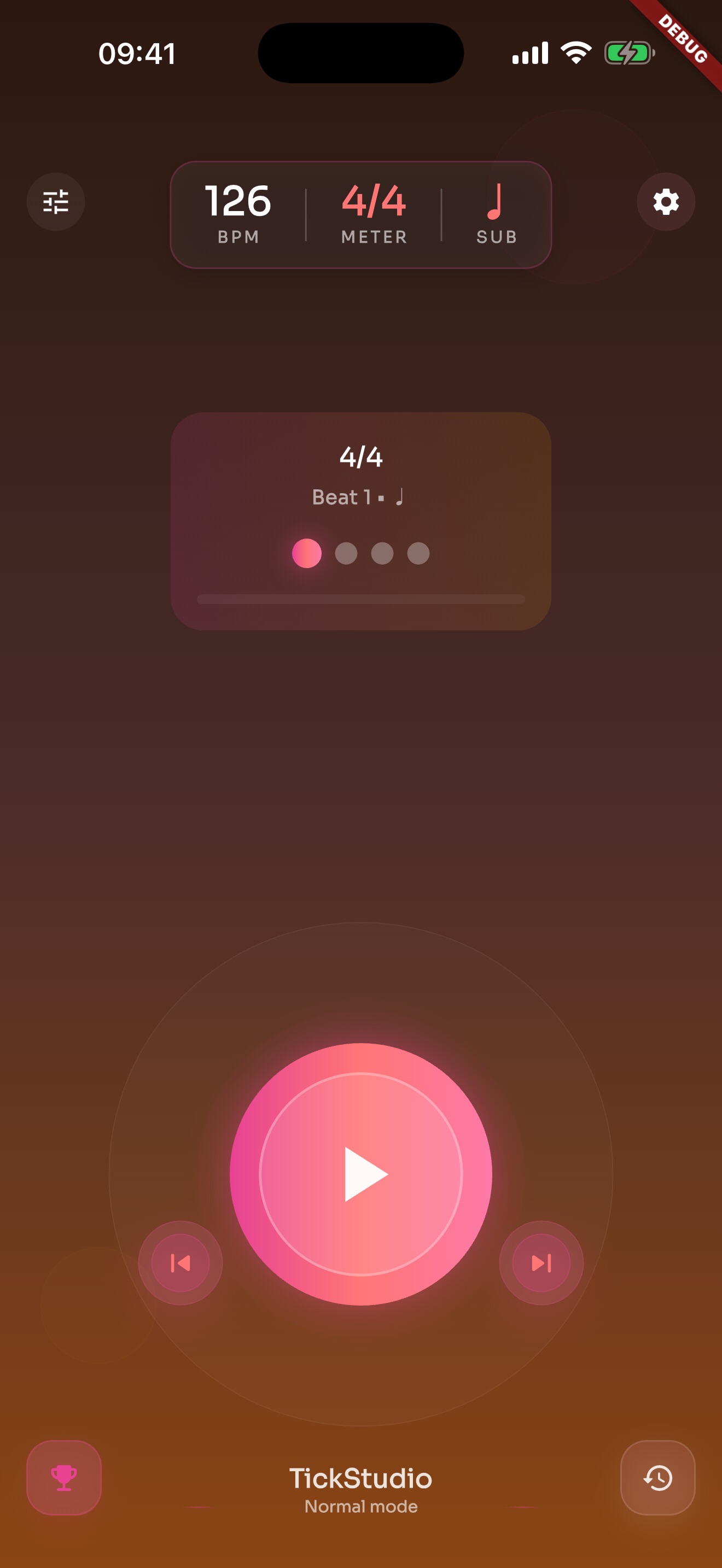
When sound is not enough, visual beat cues help confirm downbeats and the pulse.
Quarter, eighth, triplet, and sixteenth subdivisions expose rushing, dragging, and uneven hits.
Multiple click sounds and app volume fit pads, full kits, and rehearsal rooms.
Rudiments, fills, grooves, and songs can store BPM, meter, subdivision, sound, and count-in.
Beginner, practice, normal, and challenge speeds stay together so the next BPM is not a guess.
Favorites, recents, and search bring back the material you practice often.
Saved song tempos can follow rehearsal or stage order.
Visual beat and Wi-Fi sync help when one phone screen is not enough.
Preset and setlist import/export help before device changes or performance prep.
Recent practice keeps the drum work from living only in memory.
Daily goals and weekly plans fit rudiments, speed work, and song tempos.
It shows whether practice continued through the week or happened in one burst.
Each page uses real app screens such as tempo settings, preset editing, practice logs, reminders, heatmap, setlists, and Wi-Fi sync.
BPM, meter, subdivision, start/stop, and visual beat cues live on one screen.
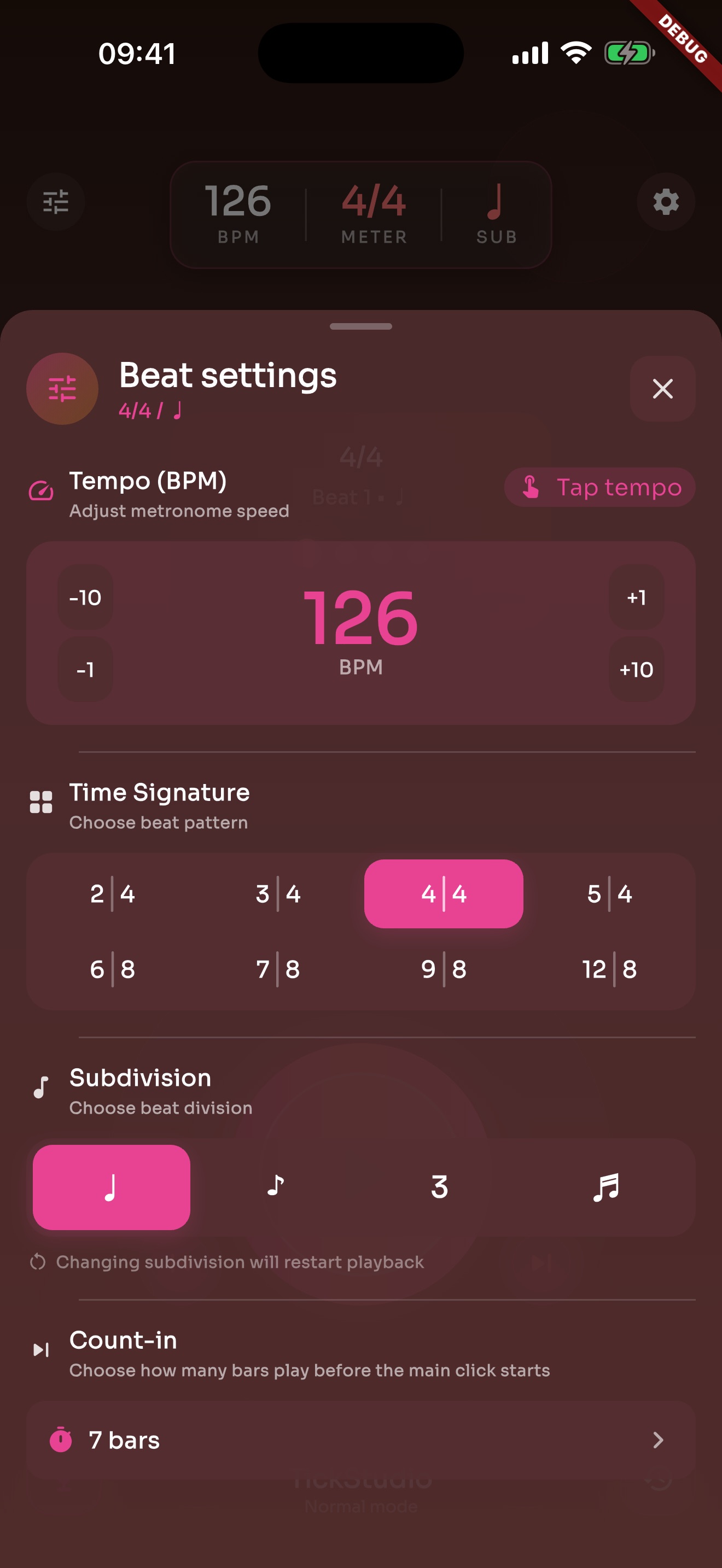
Tap Tempo, count-in, accents, meter, subdivision, click sound, and volume sit in one panel.
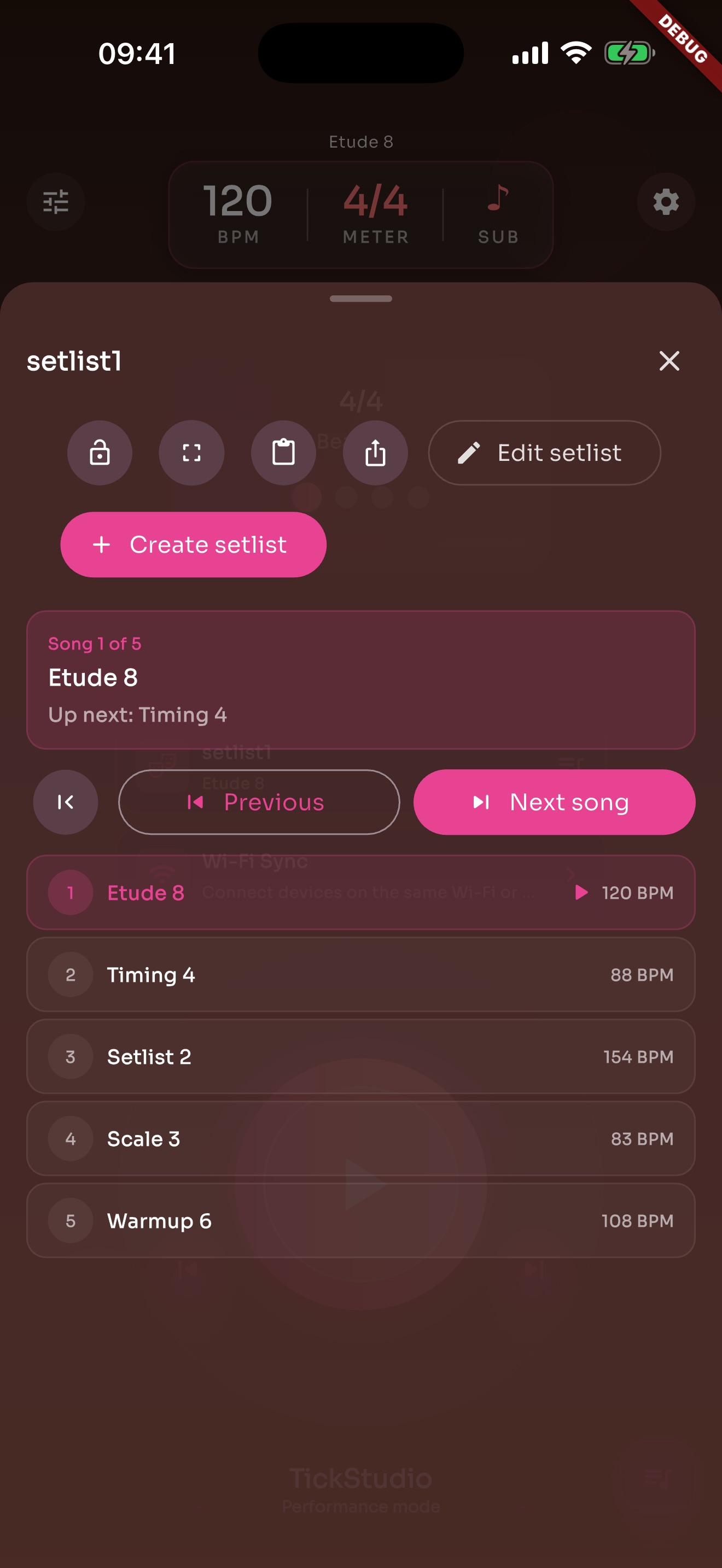
Arrange song presets in rehearsal or stage order so the next tempo is ready.
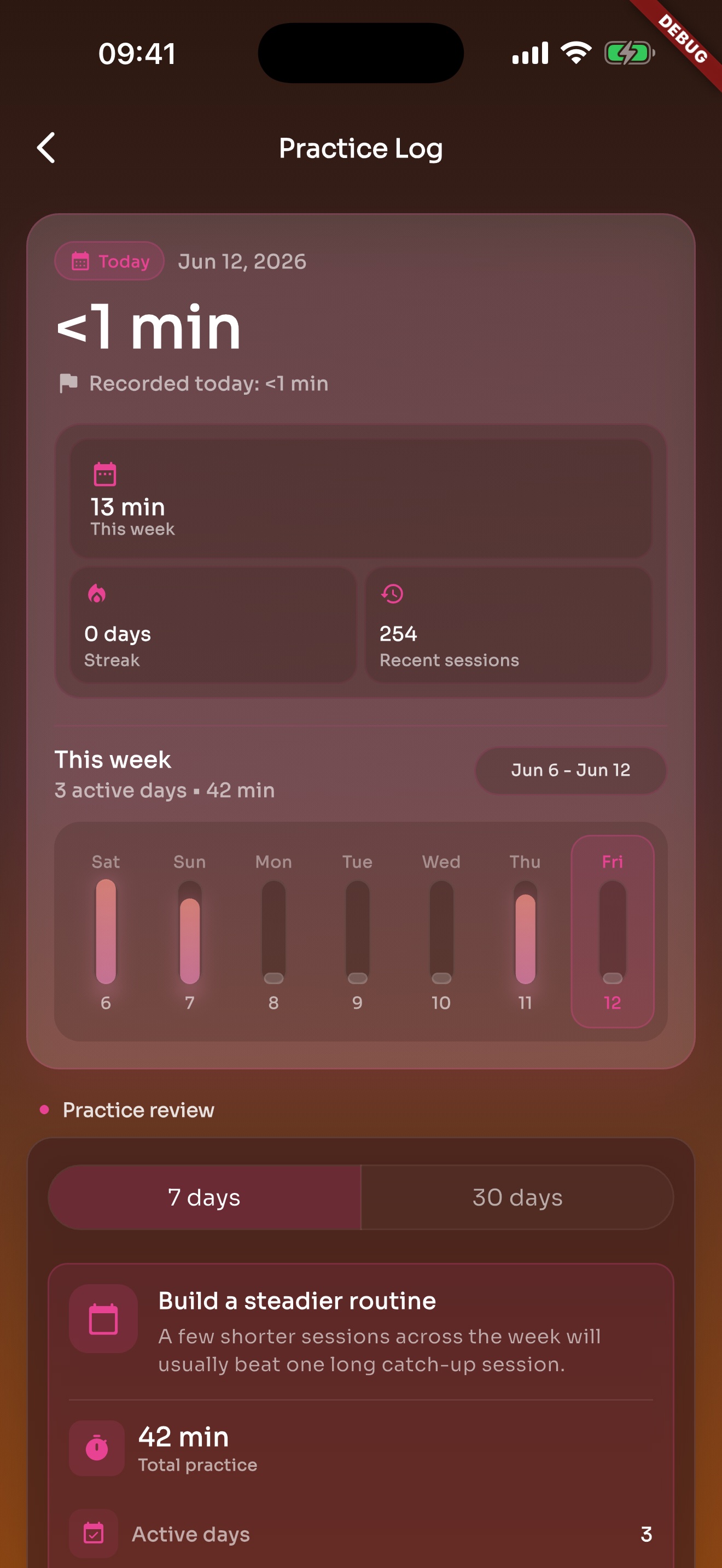
After the click stops, recent practice and history are still there.
Store warmups, rudiments, rehearsal songs, and target tempos as presets so the next session starts with the right click.