Reminder brings you in
Local reminders fit a daily habit and need no TickStudio account.
You need a start, a saved setup, and a record afterward. TickStudio keeps those pieces together.
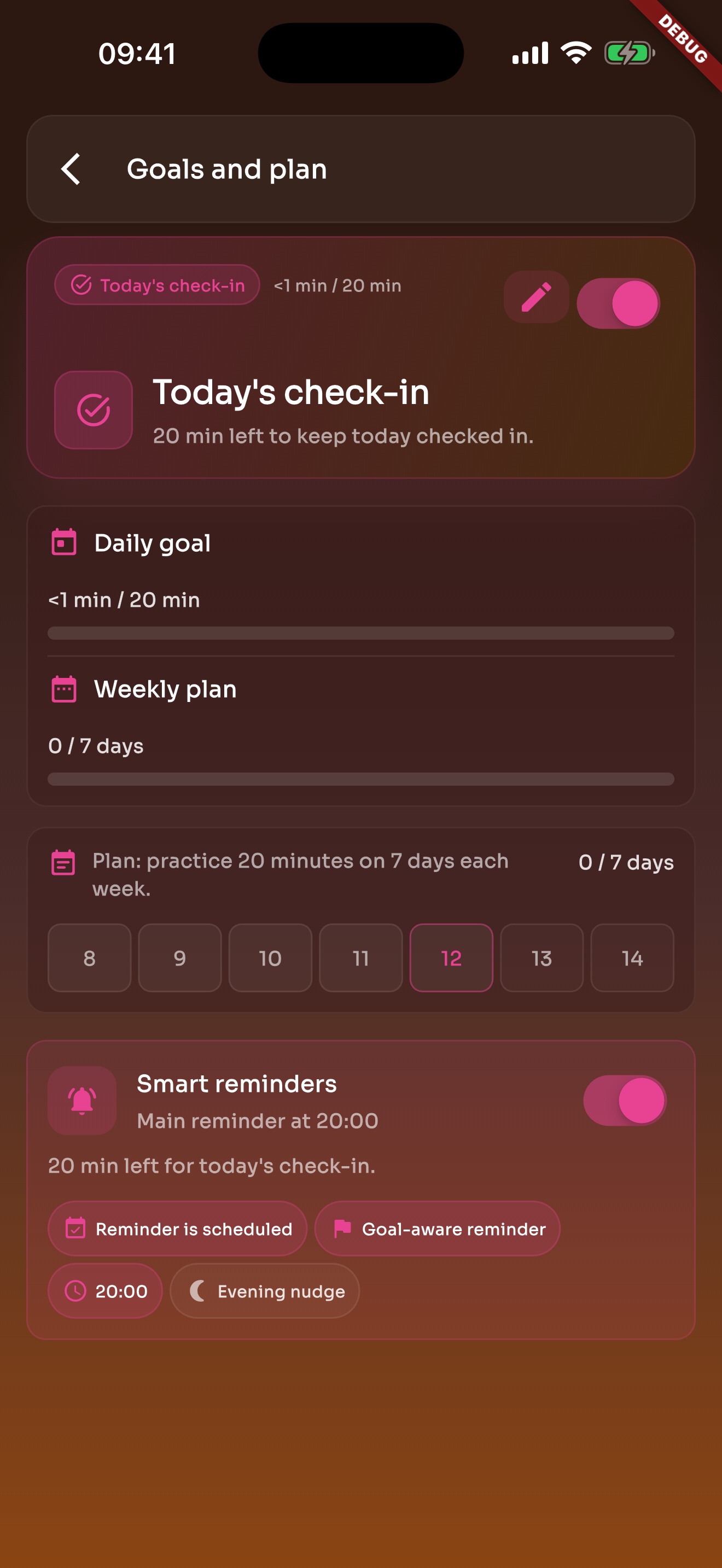
Local reminders fit a daily habit and need no TickStudio account.
Practice time, notes, and an app link can live in the day.
BPM, meter, subdivision, sound, volume, count-in, and practice speeds are already saved.
Songs, scales, warmups, and assignments can each keep their own click.
Beginner, practice, normal, and challenge tempos make the work more intentional.
Visual beat, count-in, subdivisions, sound, and volume help you stay focused.
When the click stops, recent practice and history can still find it.
Daily goals and weekly plans point the way without turning practice into admin work.
Achievements can mark steady practice, longer sessions, and setlist prep.
Heatmap turns practice into calendar-like active days.
Seeing a gap makes it easier to adjust before the habit disappears.
History, recents, and saved tempos keep the next session from starting over.
Each page uses real app screens such as tempo settings, preset editing, practice logs, reminders, heatmap, setlists, and Wi-Fi sync.
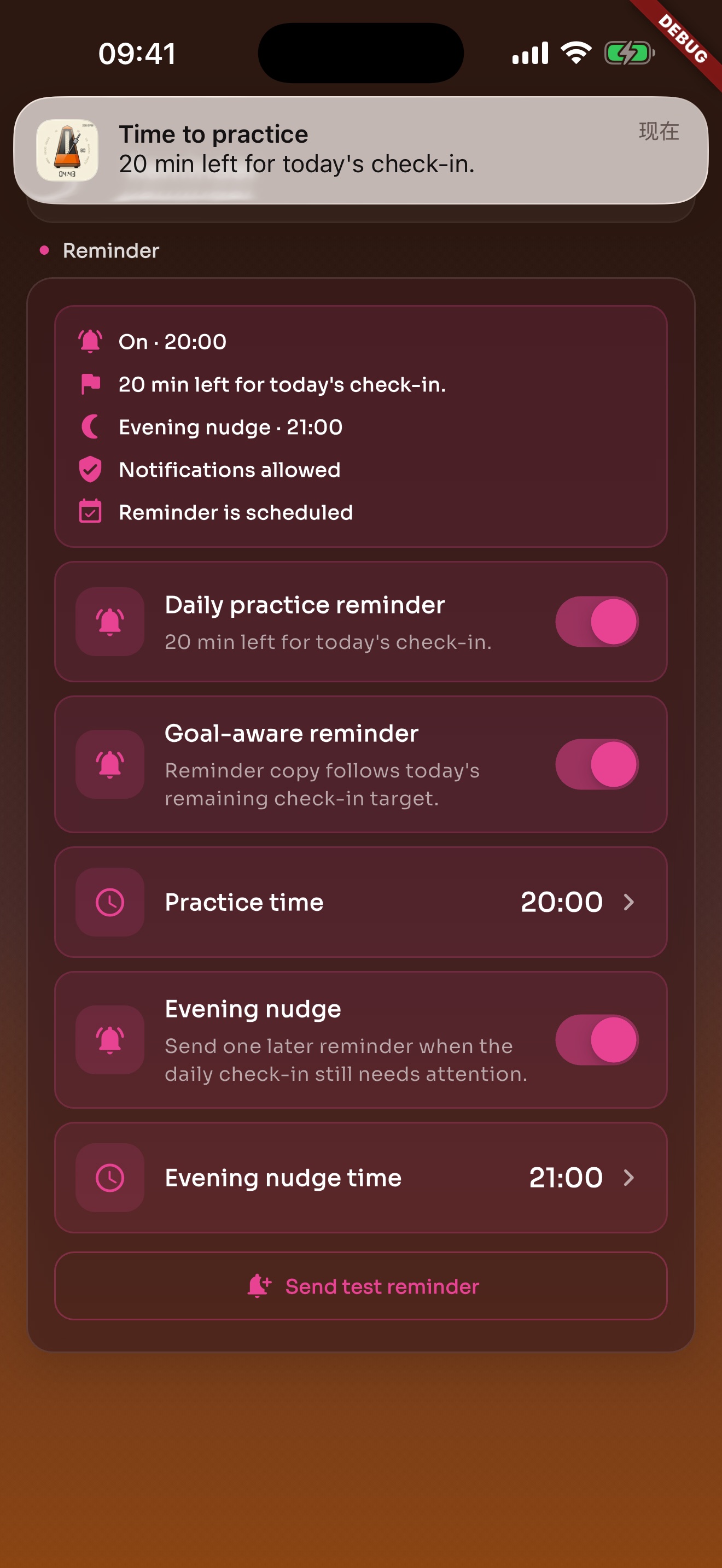
Local reminders default to evening and can be changed or turned off in Settings.
Daily goals and weekly plans bring you back to practice without turning it into heavy admin work.
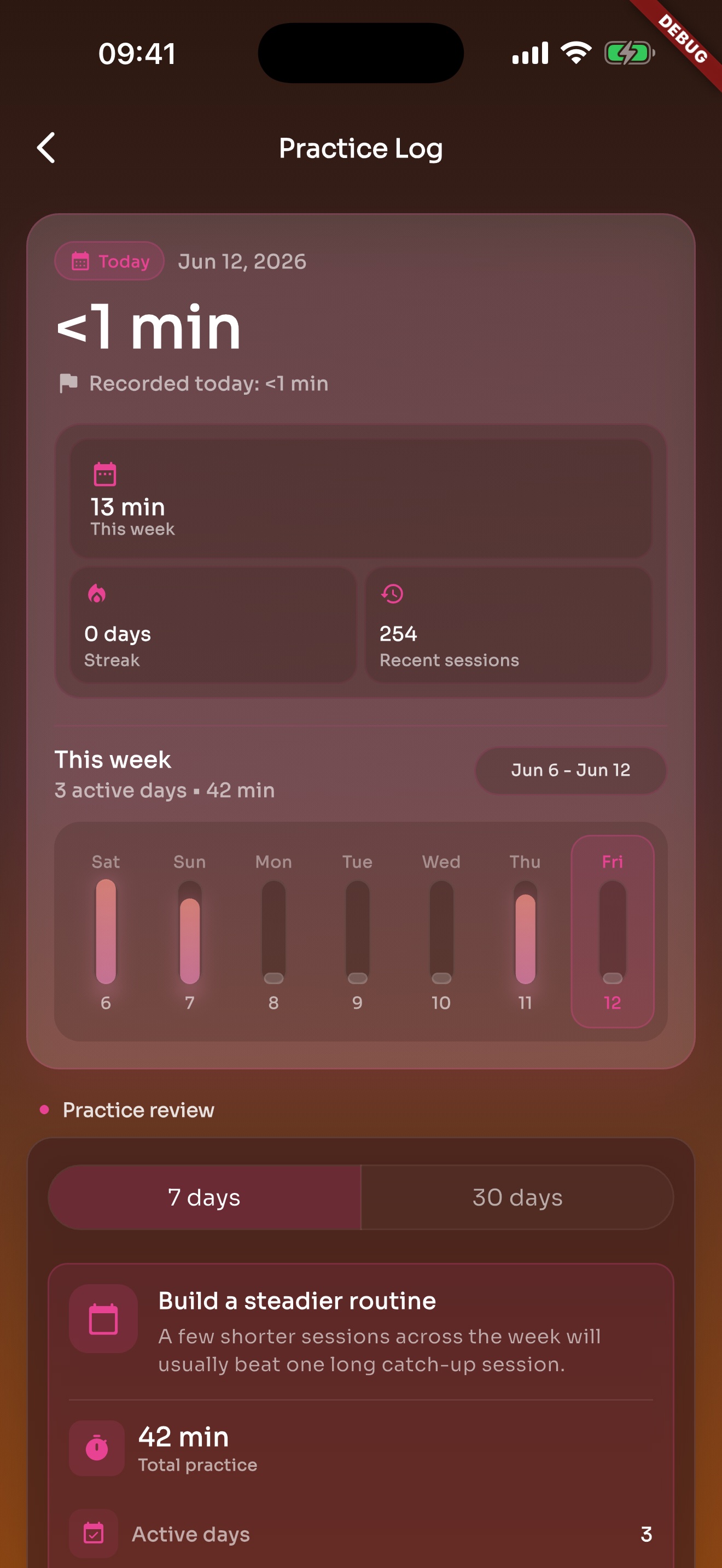
After the click stops, recent practice and history are still there.
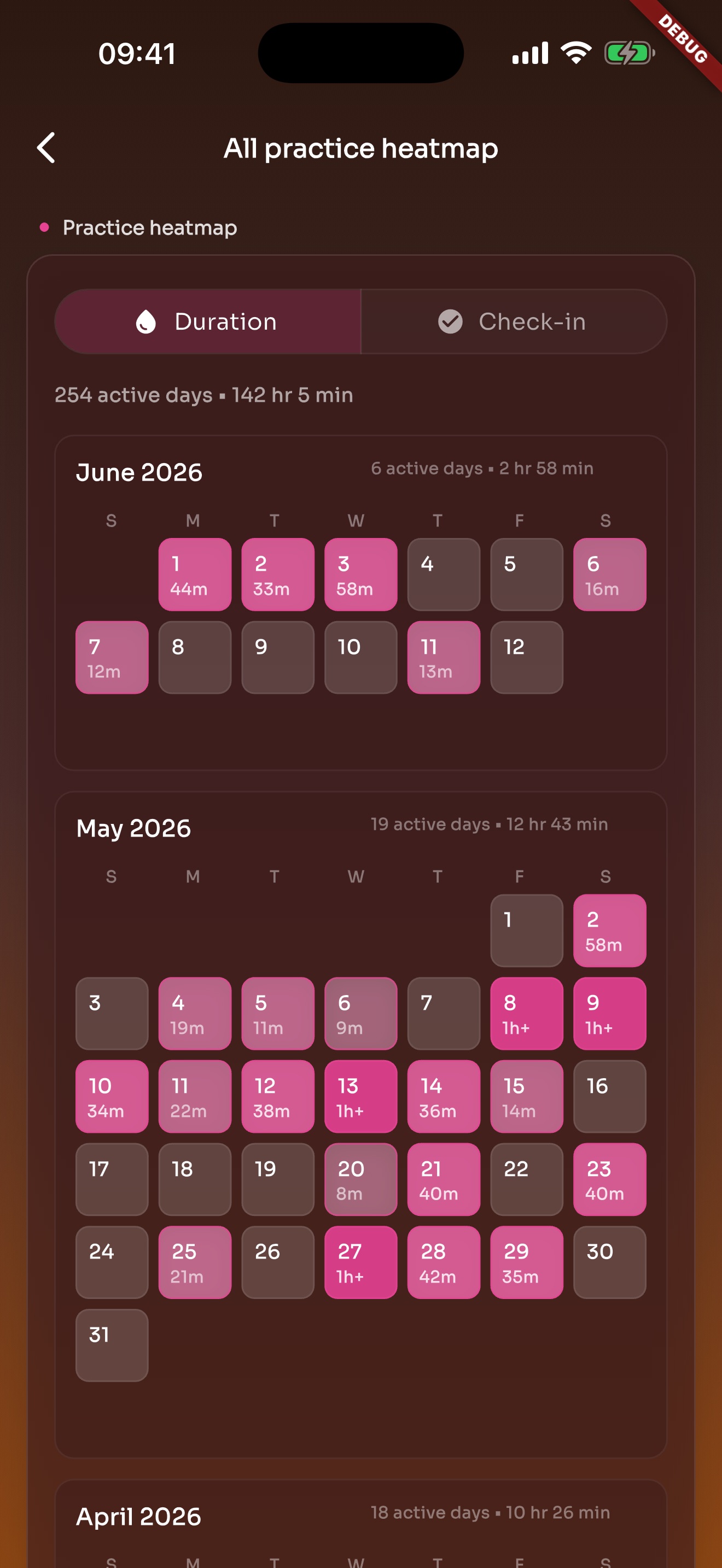
Heatmap turns practice into active days on a calendar, making consistency and gaps easier to see.
Save the setup, leave a record, and use heatmap to see whether the habit continued.