Tempo control
Use the slider for broad changes, step buttons for fine tuning, and Tap Tempo to follow a song or teacher.
Start with tempo, meter, subdivision, sound, and count-in. When something becomes part of practice, save it as a preset, a speed ladder, a log, or a setlist.
Use the slider for broad changes, step buttons for fine tuning, and Tap Tempo to follow a song or teacher.
Slow starts, warmups, tempo building, and fast subdivision practice all fit in the same screen.
Count in before the first beat, then read downbeats, regular beats, and subdivisions visually.
2/4, 3/4, 4/4, 5/4, 6/8, 7/8, 9/8, and 12/8 are ready to use.
Quarter, eighth, triplet, and sixteenth subdivisions make uneven timing easier to hear.
Gear, classic, wood block, beep, digital, drum kit, ringtone, typewriter, and clack, with preview and app volume.
Save songs, exercises, lesson examples, and rehearsal material separately.
Keep beginner, practice, normal, and challenge tempos inside one preset.
Beginners can start below the target BPM instead of being pushed to full speed immediately.
Double-tap empty space on the main screen to switch the current preset practice speed.
Recent practice, history, heatmap, goals, and achievements keep the work visible.
Reminders are free, default to 8 PM, and can be changed or turned off in Settings.
iOS uses iCloud. Android uses Google Drive when enabled. Your repeated work can follow your devices.
Arrange songs in rehearsal or stage order so the next tempo is ready.
Use local Wi-Fi sync or Apple Watch when the phone screen is not the best place to look.
Move, back up, or share presets and setlists. Some tools are Pro.
The app and website are available in multiple mainstream languages.
Core metronome use needs no account. Sync uses your own iCloud or Google Drive.
These screenshots show the real screens for tempo, presets, logs, reminders, setlists, and settings.
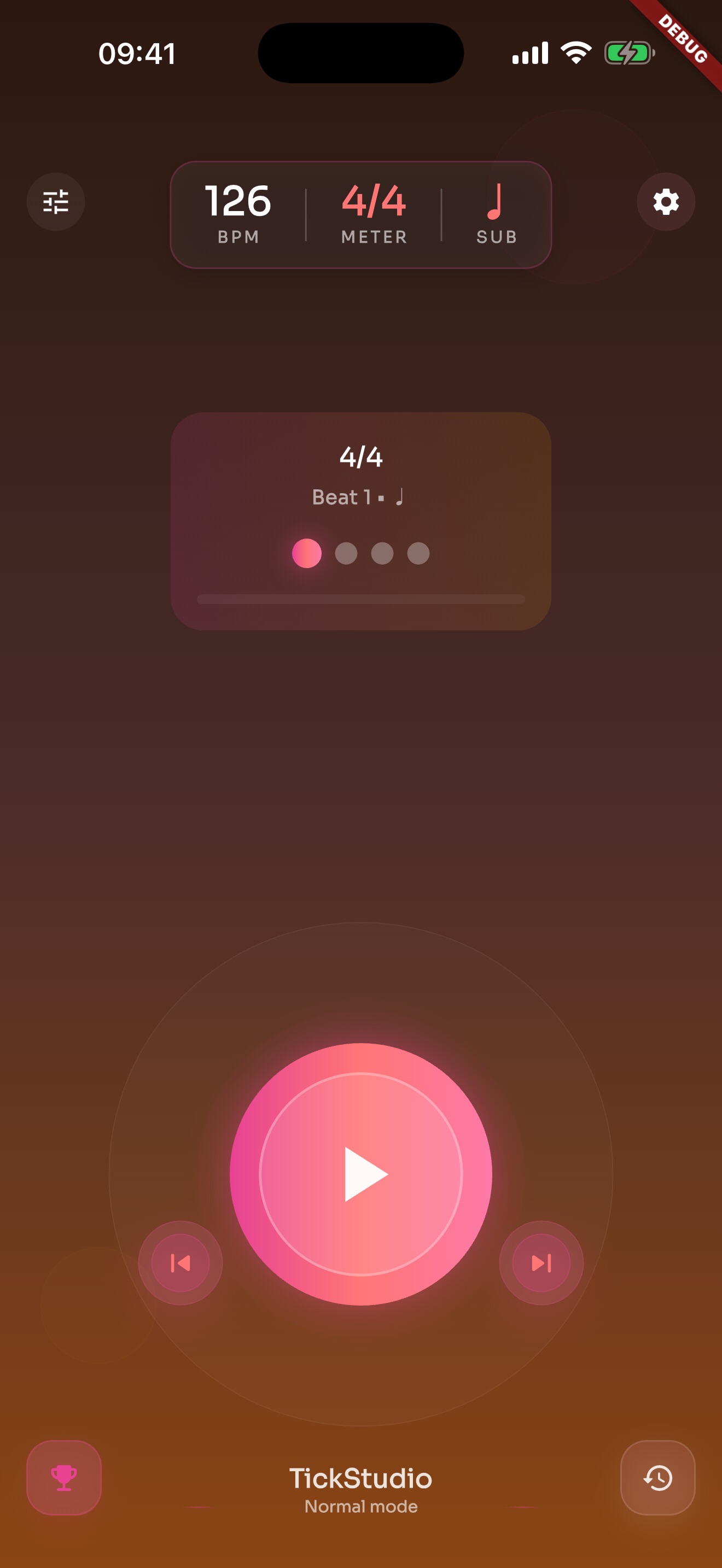
BPM, meter, subdivision, start/stop, and visual beat cues live on one screen.
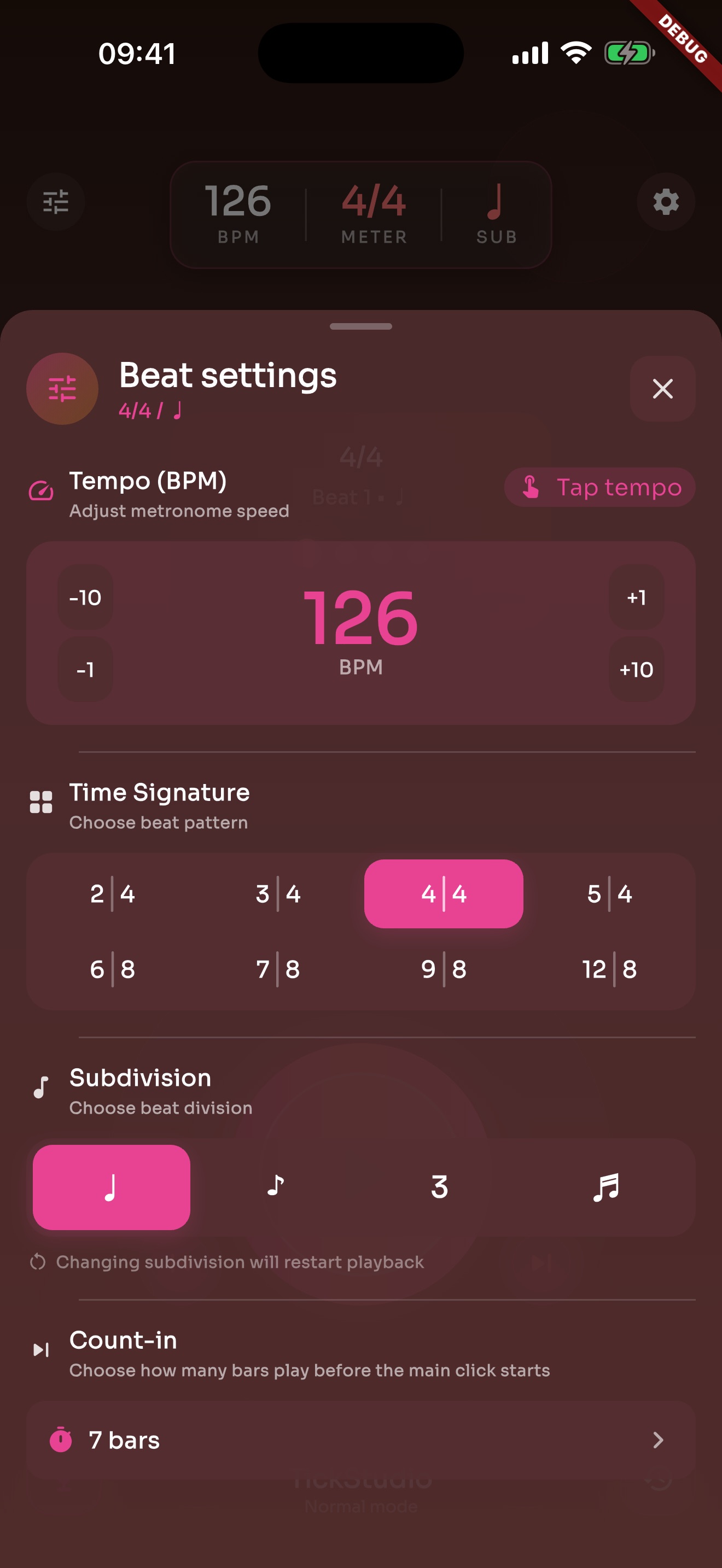
Tap Tempo, count-in, accents, meter, subdivision, click sound, and volume sit in one panel.
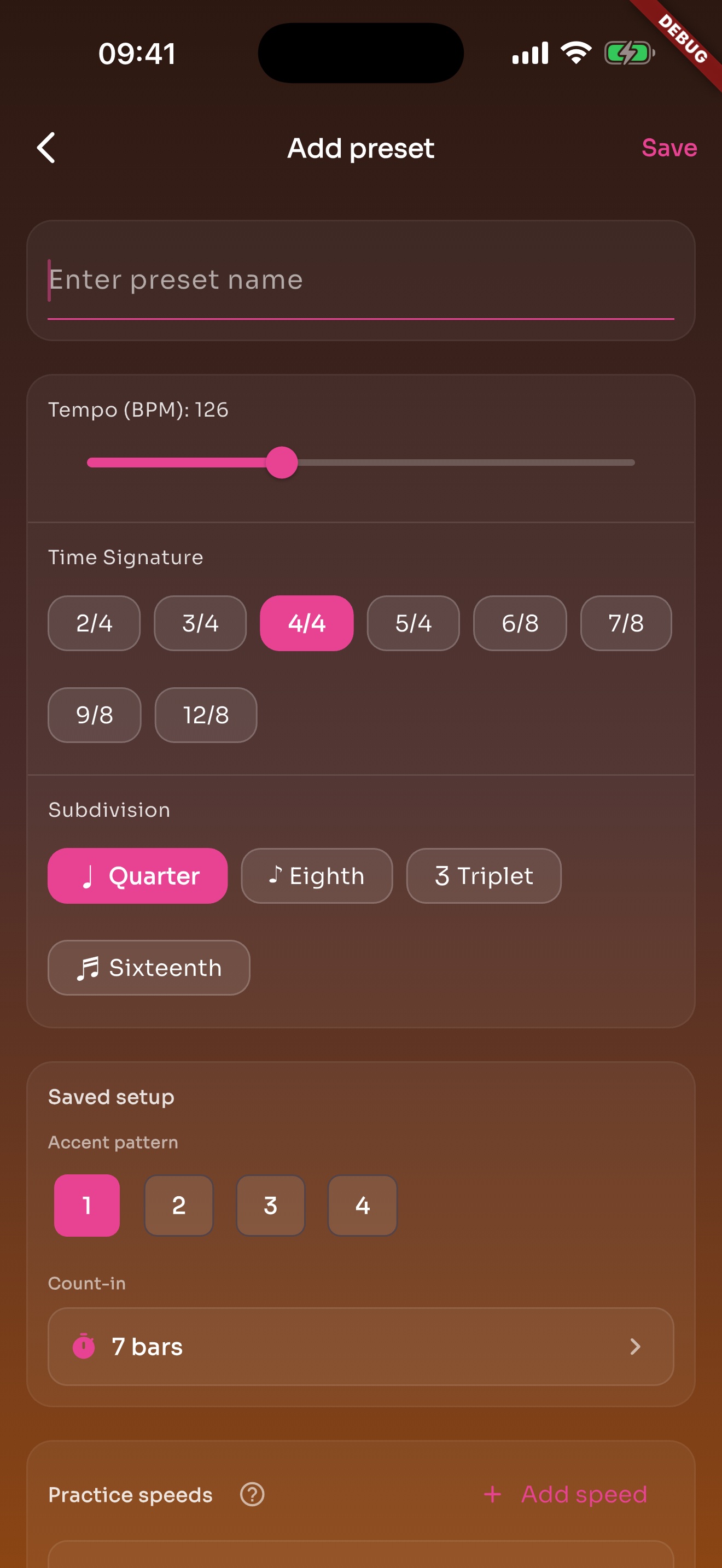
A song or exercise can save BPM, meter, subdivision, sound, volume, count-in, and practice speeds.
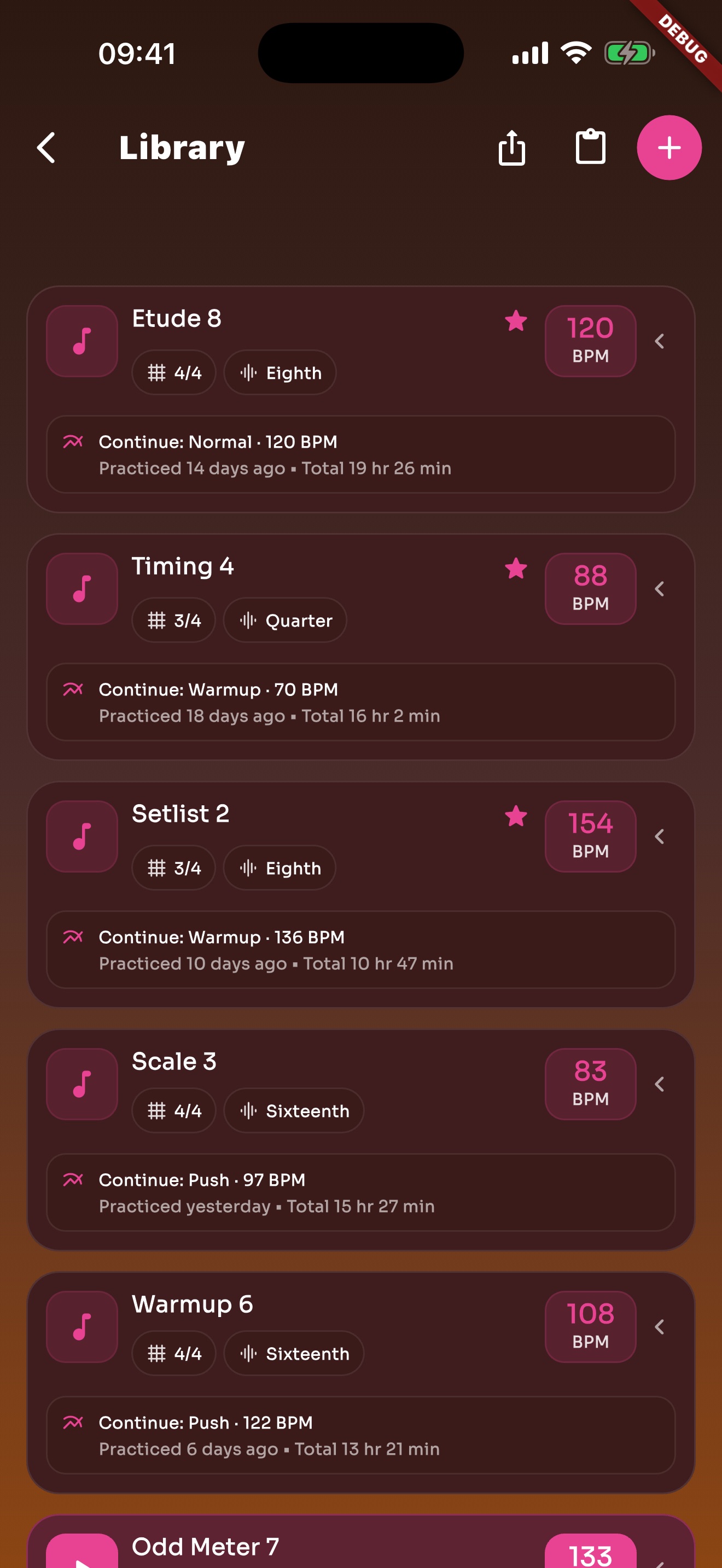
Songs, exercises, favorites, and recents stay in the library so repeated work is not rebuilt.
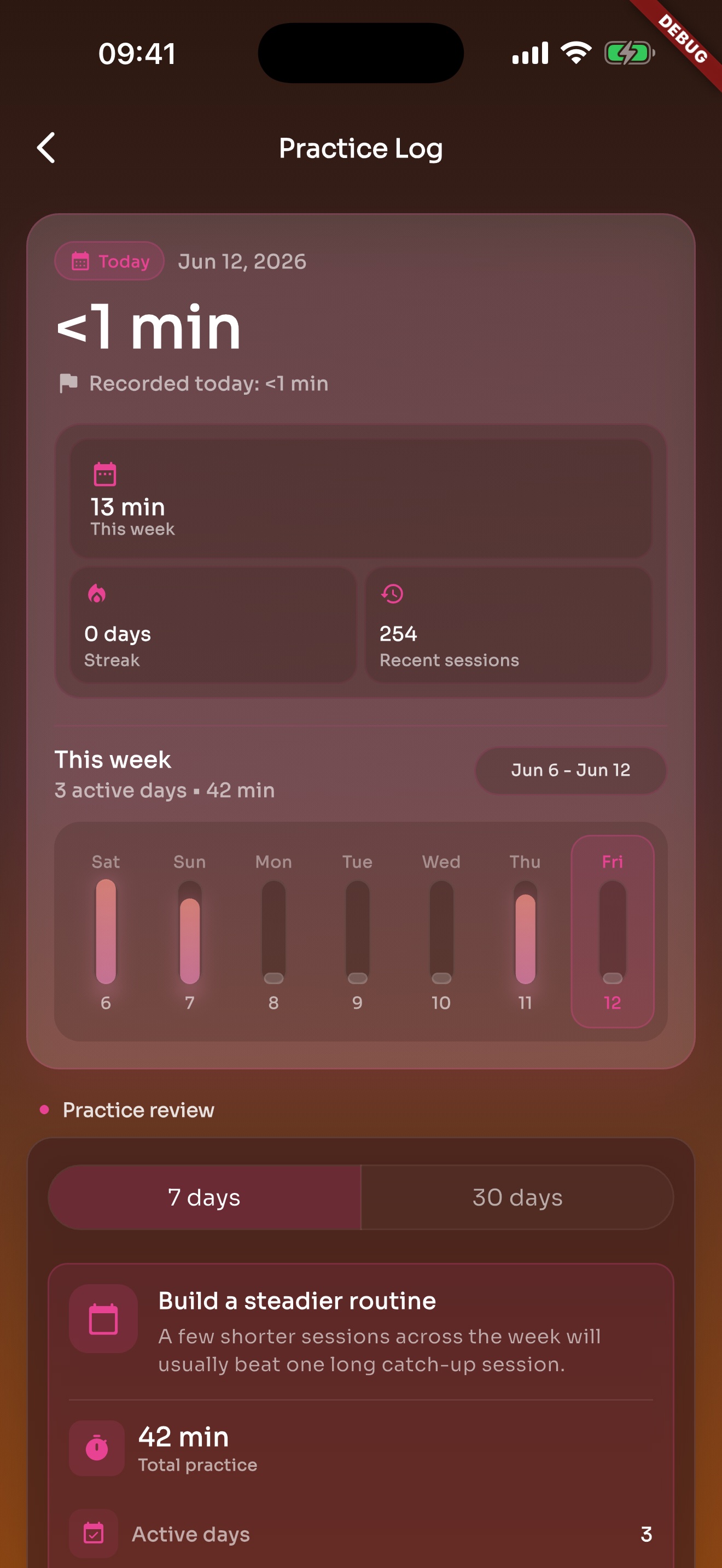
After the click stops, recent practice and history are still there.
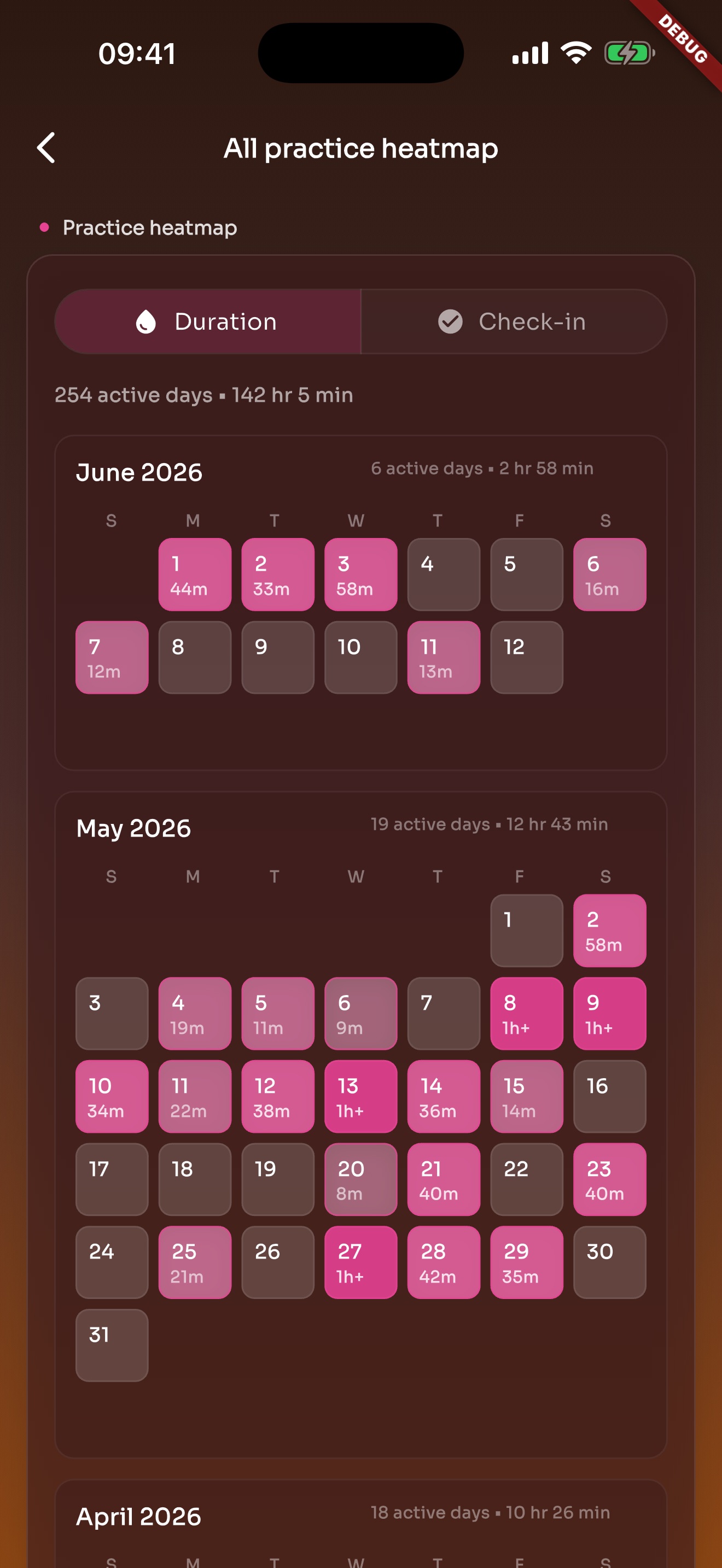
Heatmap turns practice into active days on a calendar, making consistency and gaps easier to see.
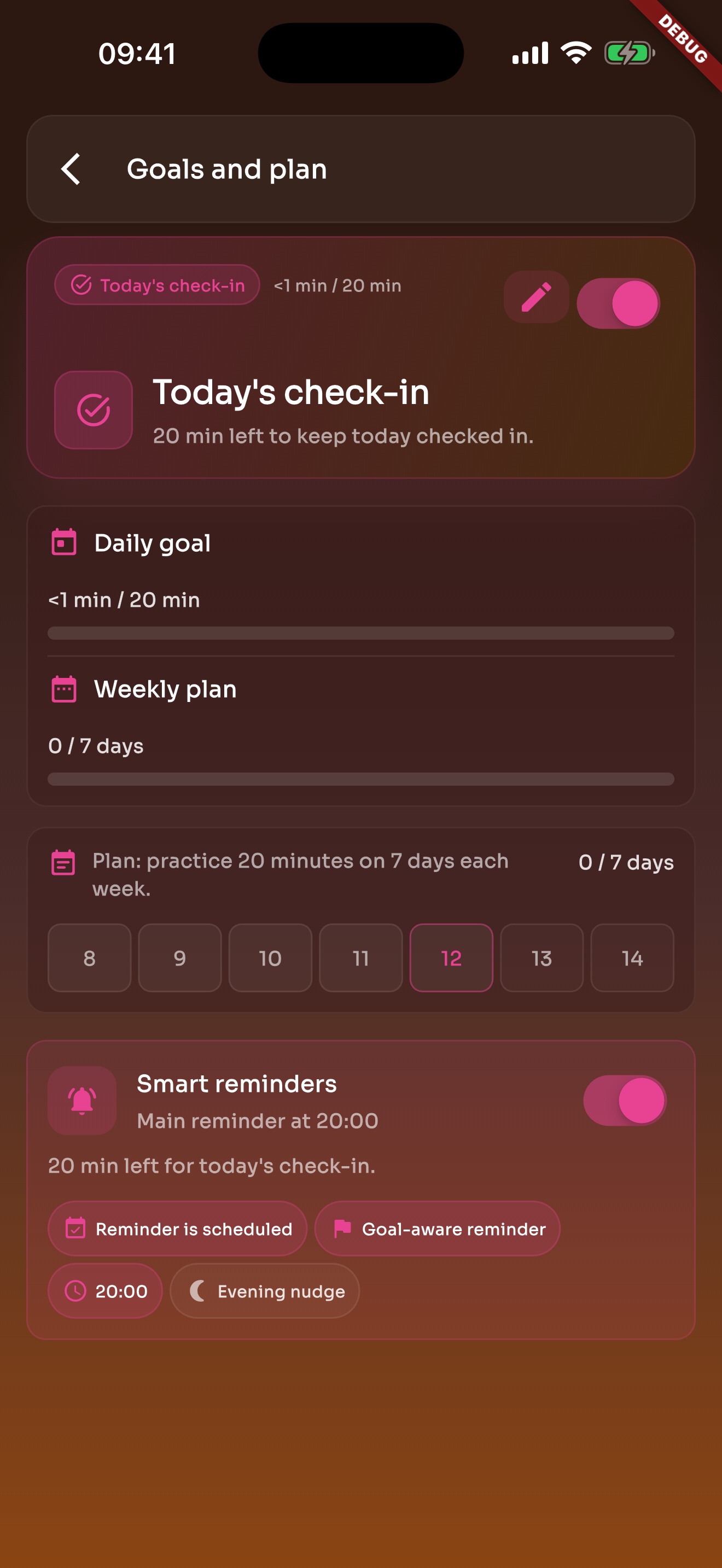
Daily goals and weekly plans bring you back to practice without turning it into heavy admin work.
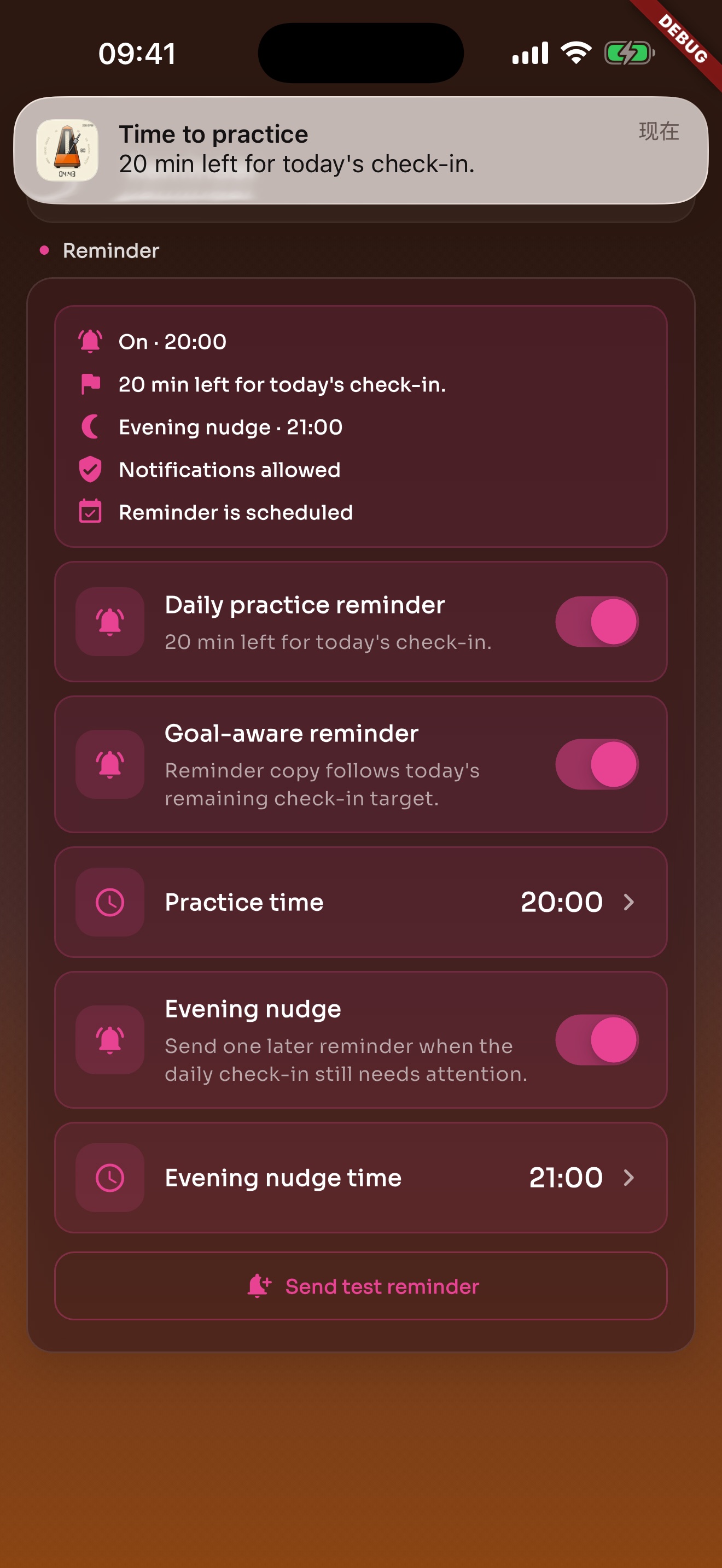
Local reminders default to evening and can be changed or turned off in Settings.
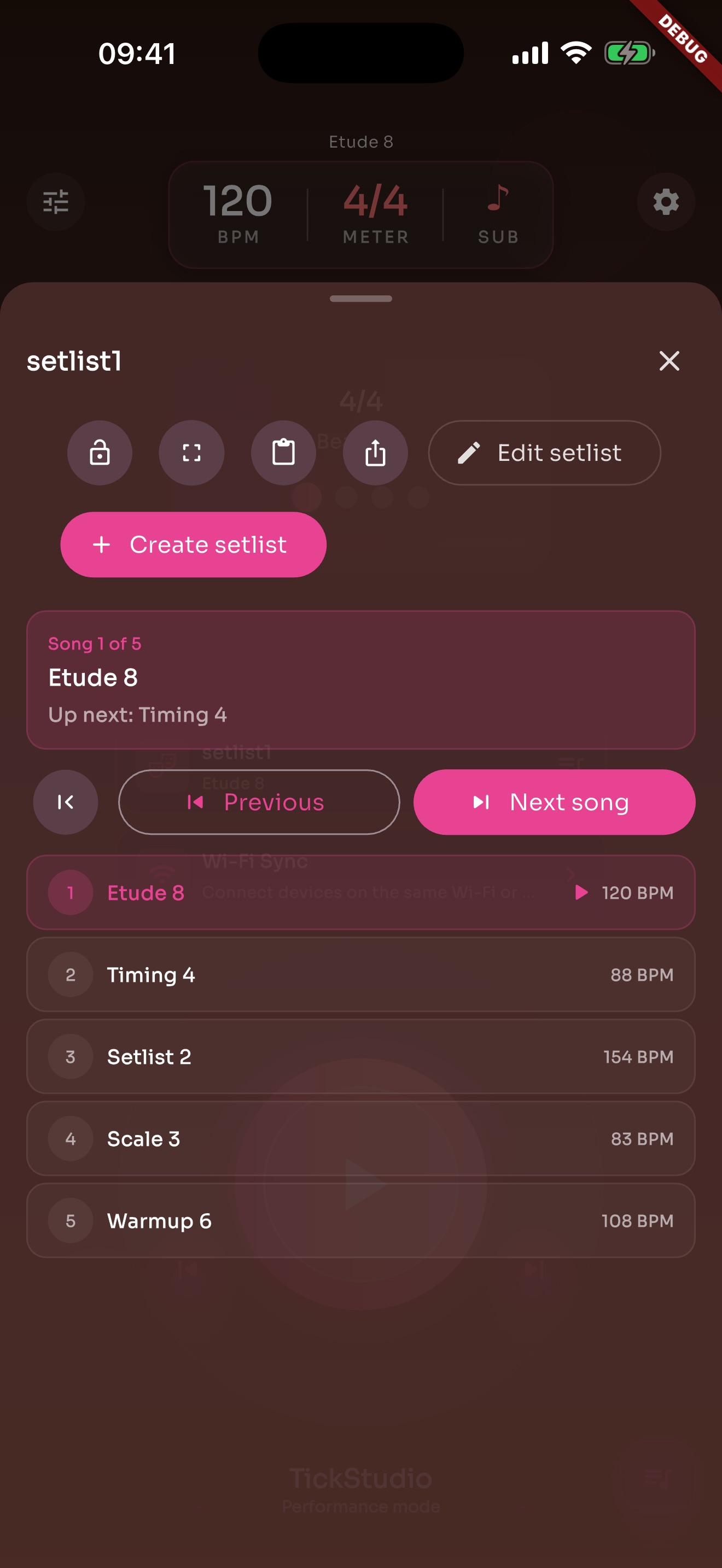
Arrange song presets in rehearsal or stage order so the next tempo is ready.
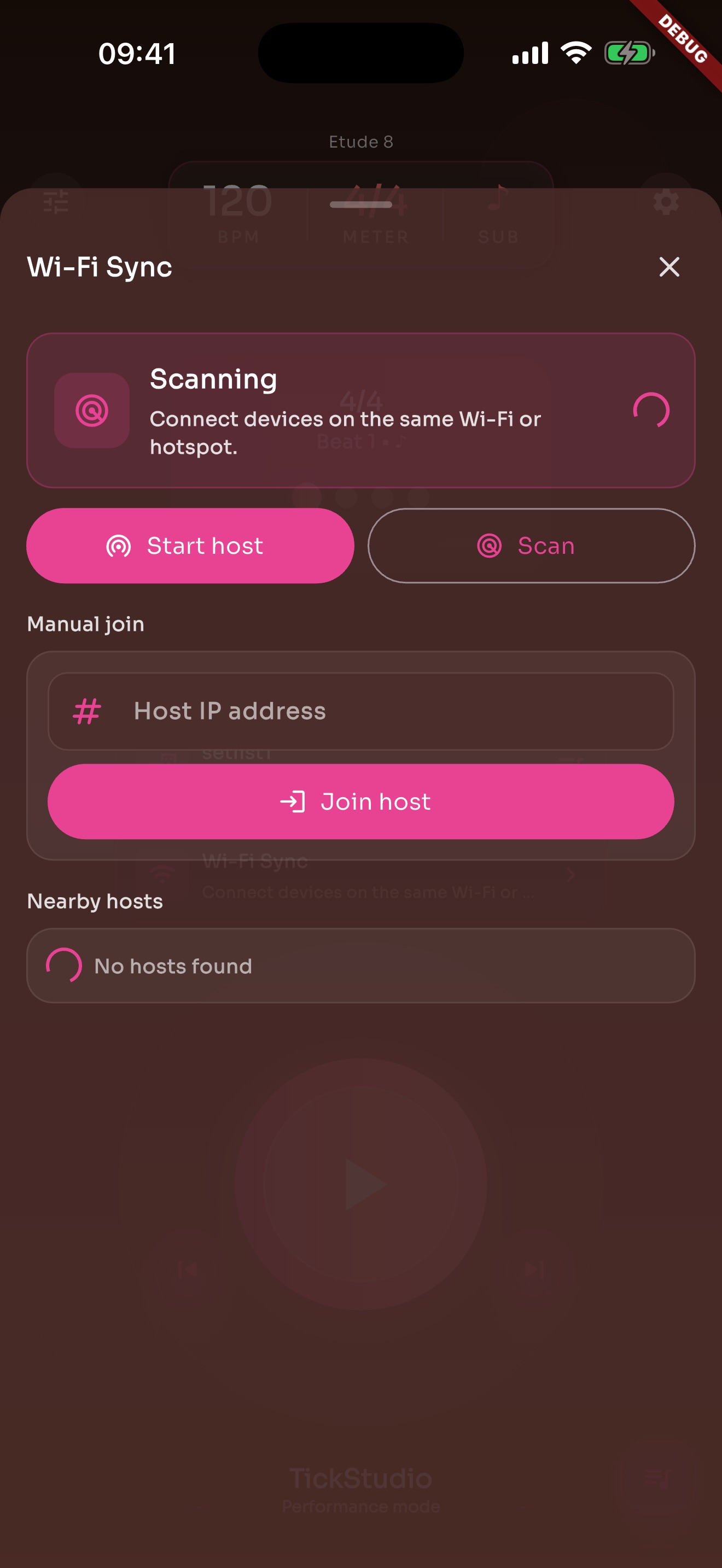
When one phone screen is not enough, local Wi-Fi sync can help supported devices stay aligned.
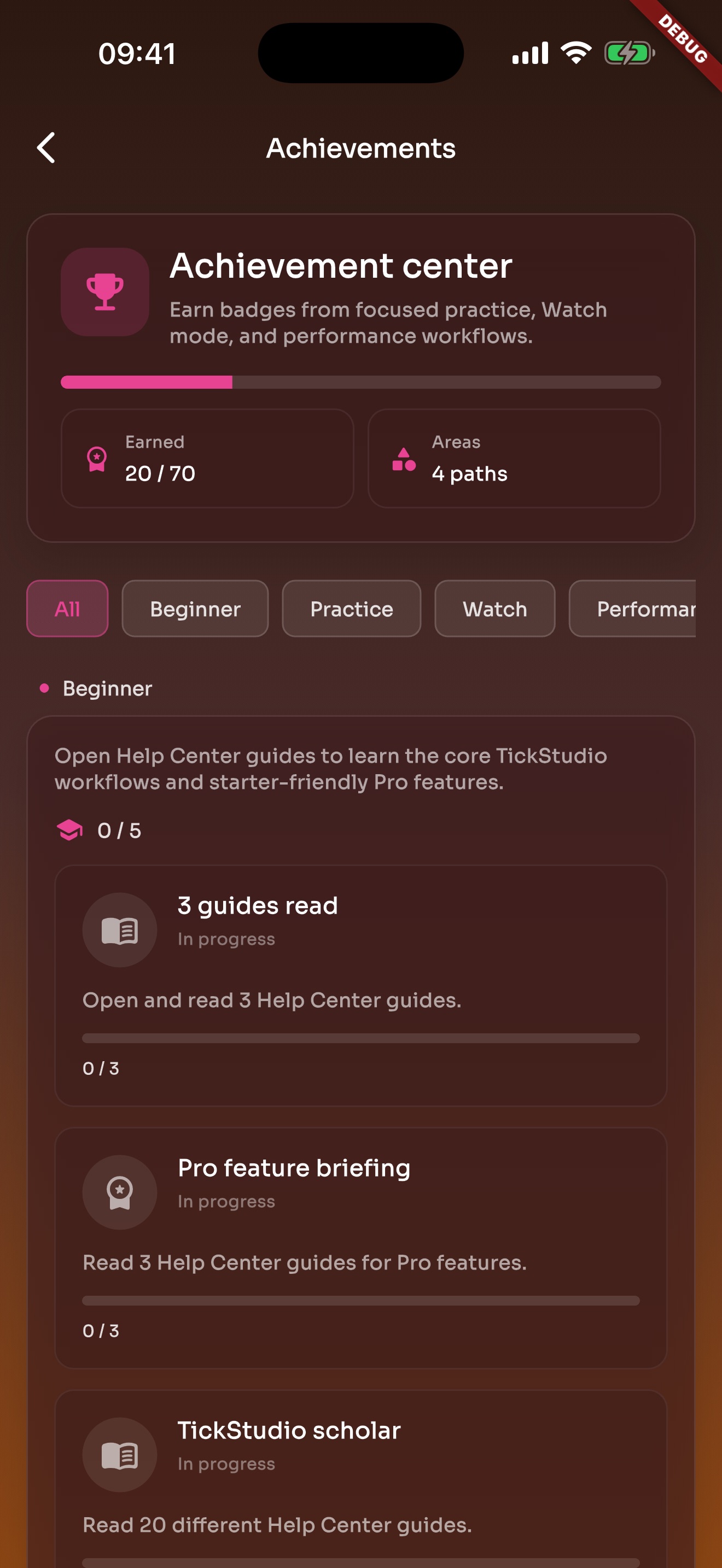
Achievements mark consistent practice, Watch use, setlist prep, and longer sessions.
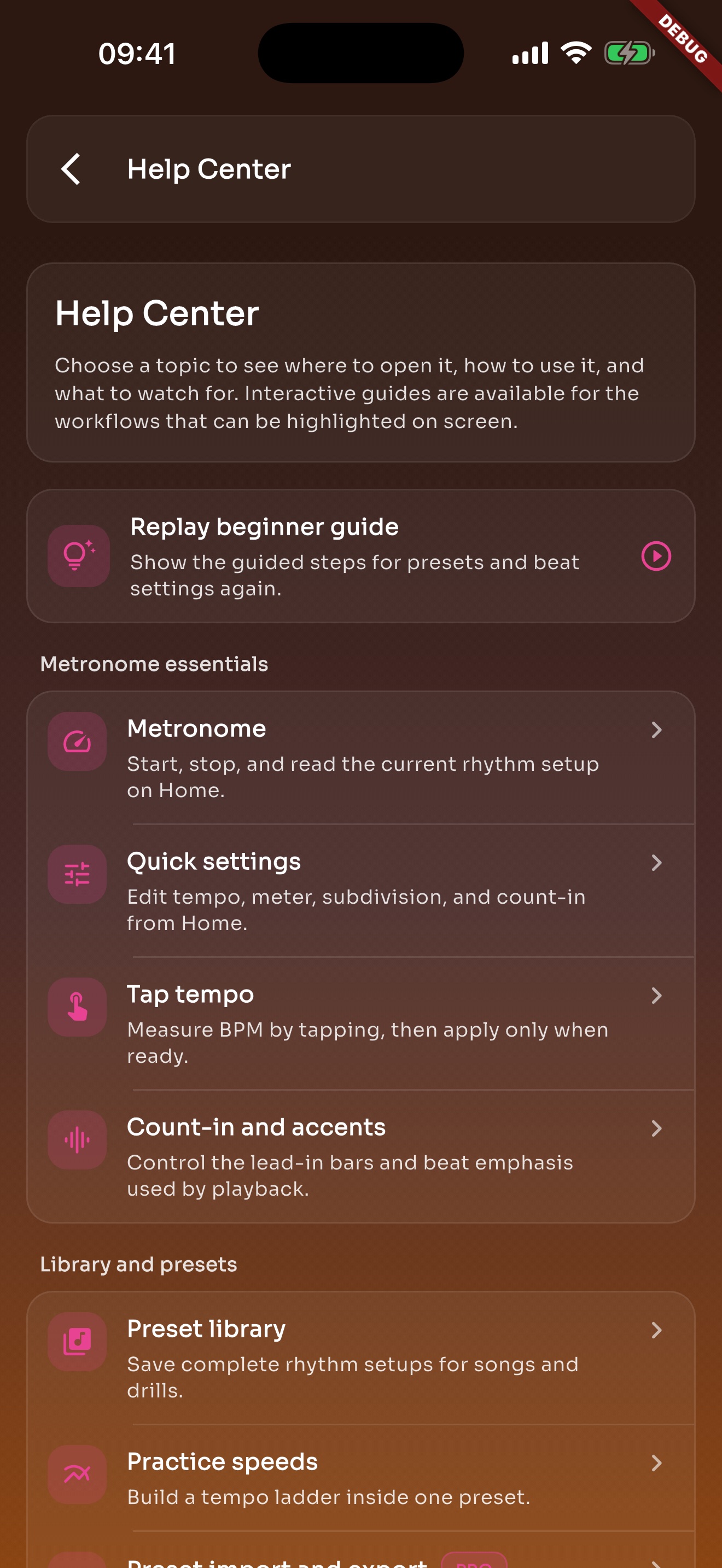
Metronome, presets, Tap Tempo, and practice speed questions can be read inside the app.
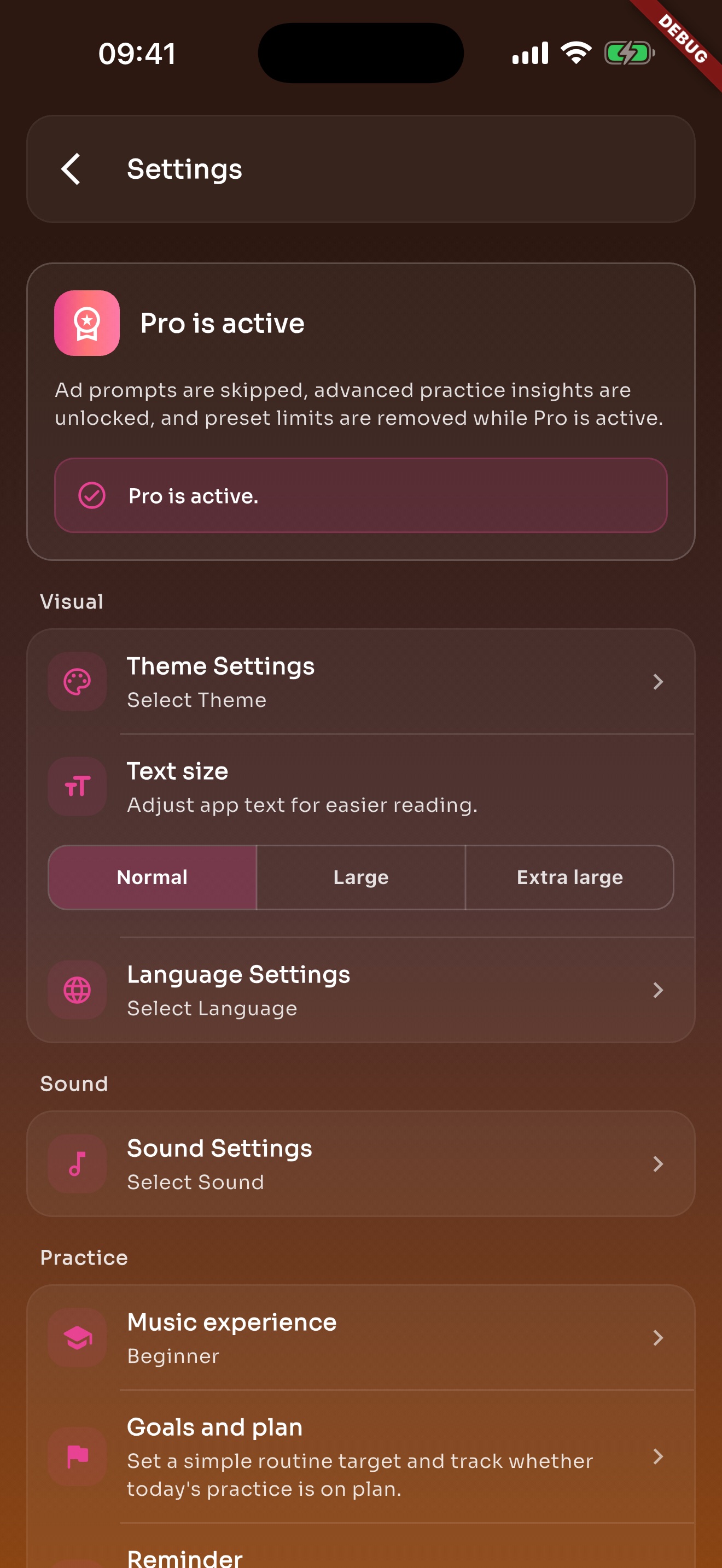
Themes, text size, language, sound, reminders, help, legal links, and account-free preferences live here.
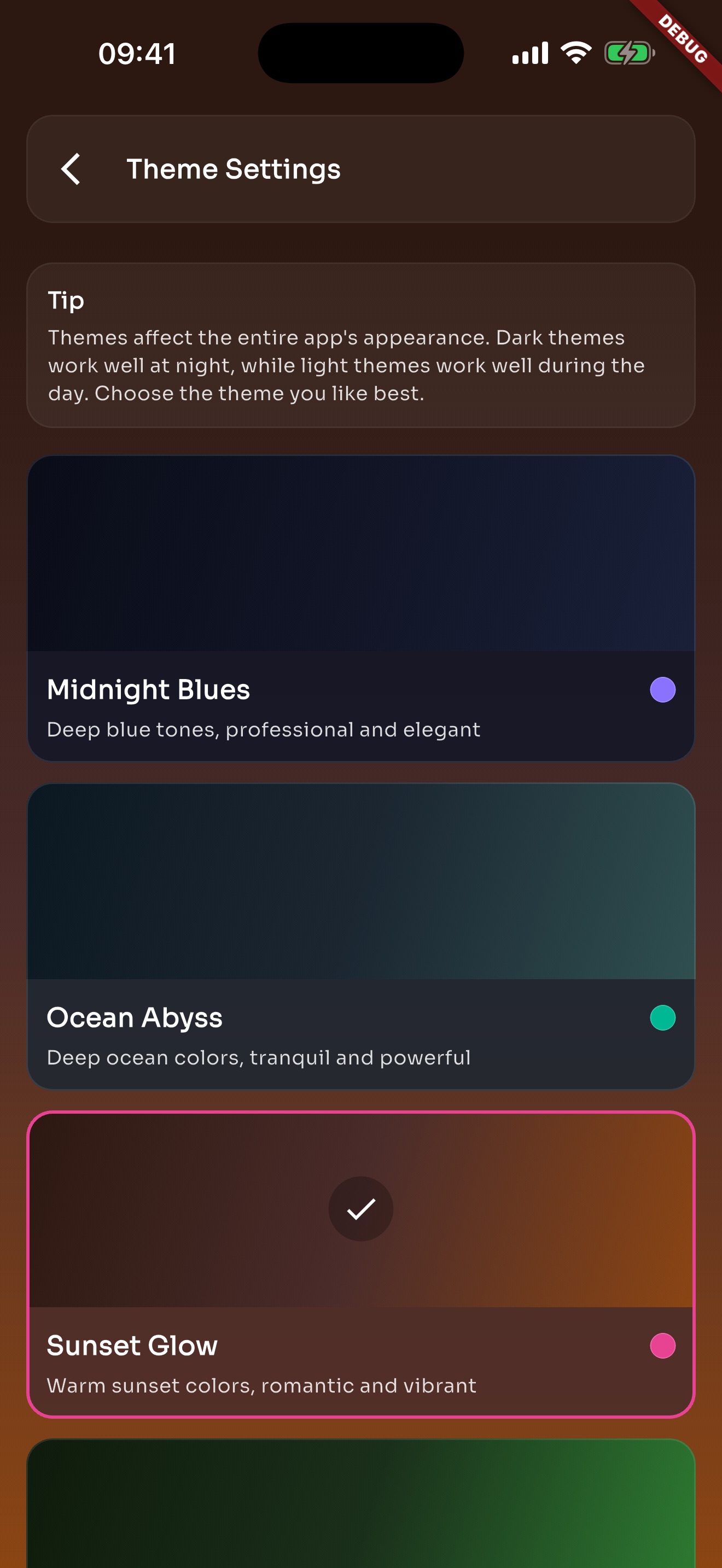
Switch themes for bright rooms, dark stages, or longer night practice.
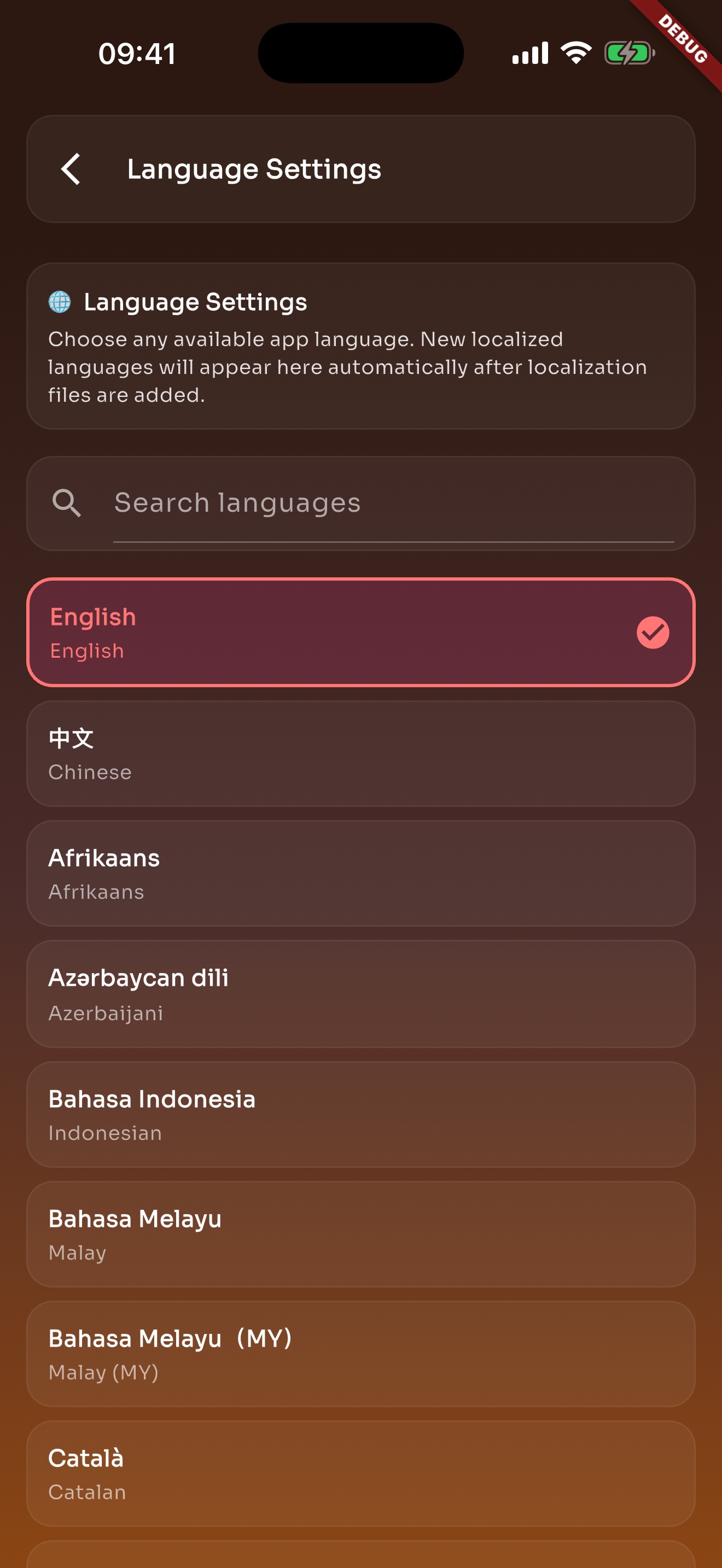
The app and website are available in multiple mainstream languages.
The main BPM stays attached to the preset, even when you practice slower.
Beginner, practice, and challenge speeds can still be adjusted when a piece needs it.
Beginners can start slower, then move toward normal tempo in steps.
Search appears when there are enough presets to make search useful.
iCloud on iOS and Google Drive on Android can keep supported library data available.
Android users can sign in and turn on Google Drive sync from Settings when they need it.
The latest work is easy to reopen the next day.
A week or month of practice is easier to understand than one finished session.
Coming back to practice is basic, so daily reminders are not locked behind Pro.
Arrange song presets in rehearsal or stage order instead of remembering BPMs by hand.
Local network sync helps when one phone screen is not enough for the rehearsal space.
Apple Watch is useful when the phone is not in hand but the beat still needs to be visible.
The tempo, meter, and practice speeds you save today are ready next time.