Set the tempo first
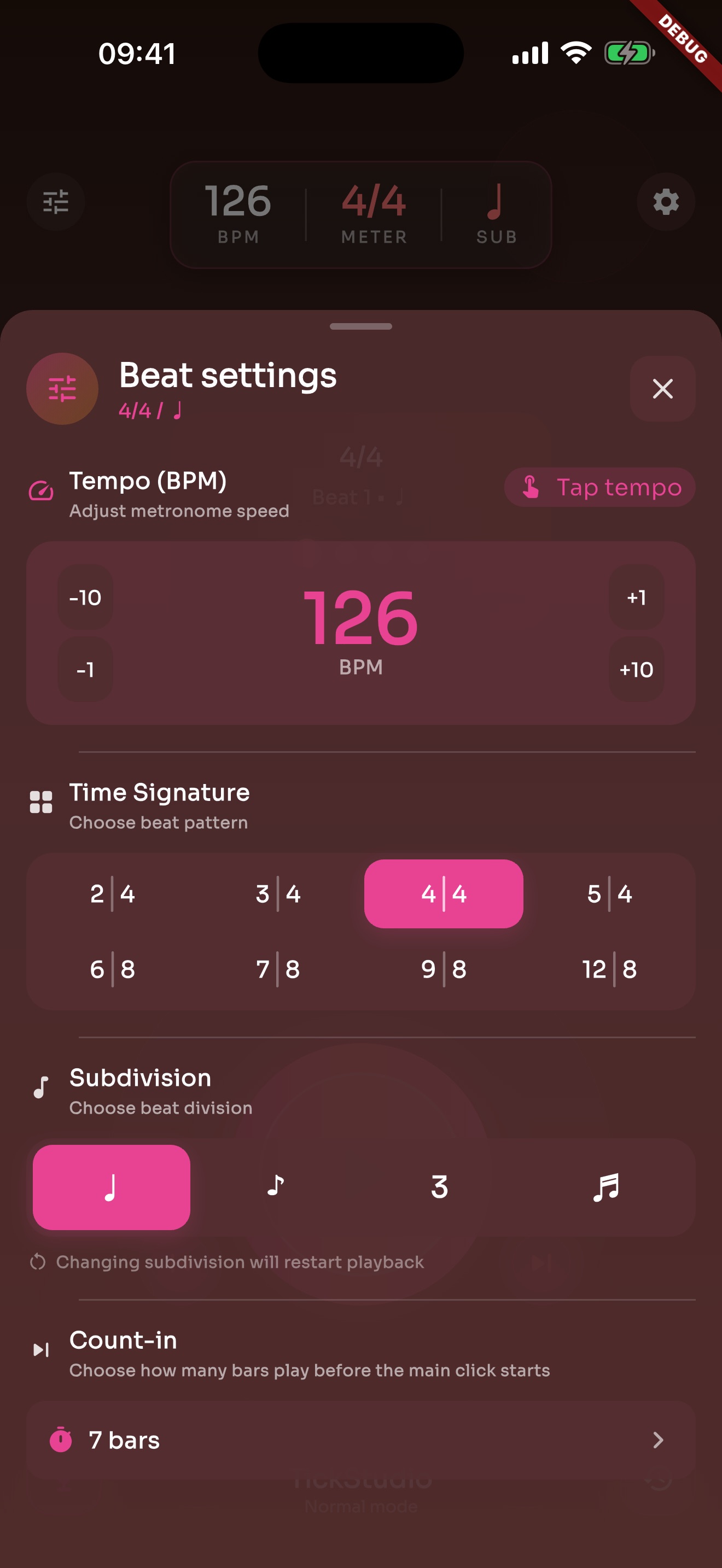
Use the slider for big moves, step buttons for exact changes, and Tap Tempo when you are following a song or a teacher.
Open it as a metronome. Save the tempos you repeat. When you are practicing, teaching, rehearsing, or playing a set, you do not have to rebuild the same click every time.
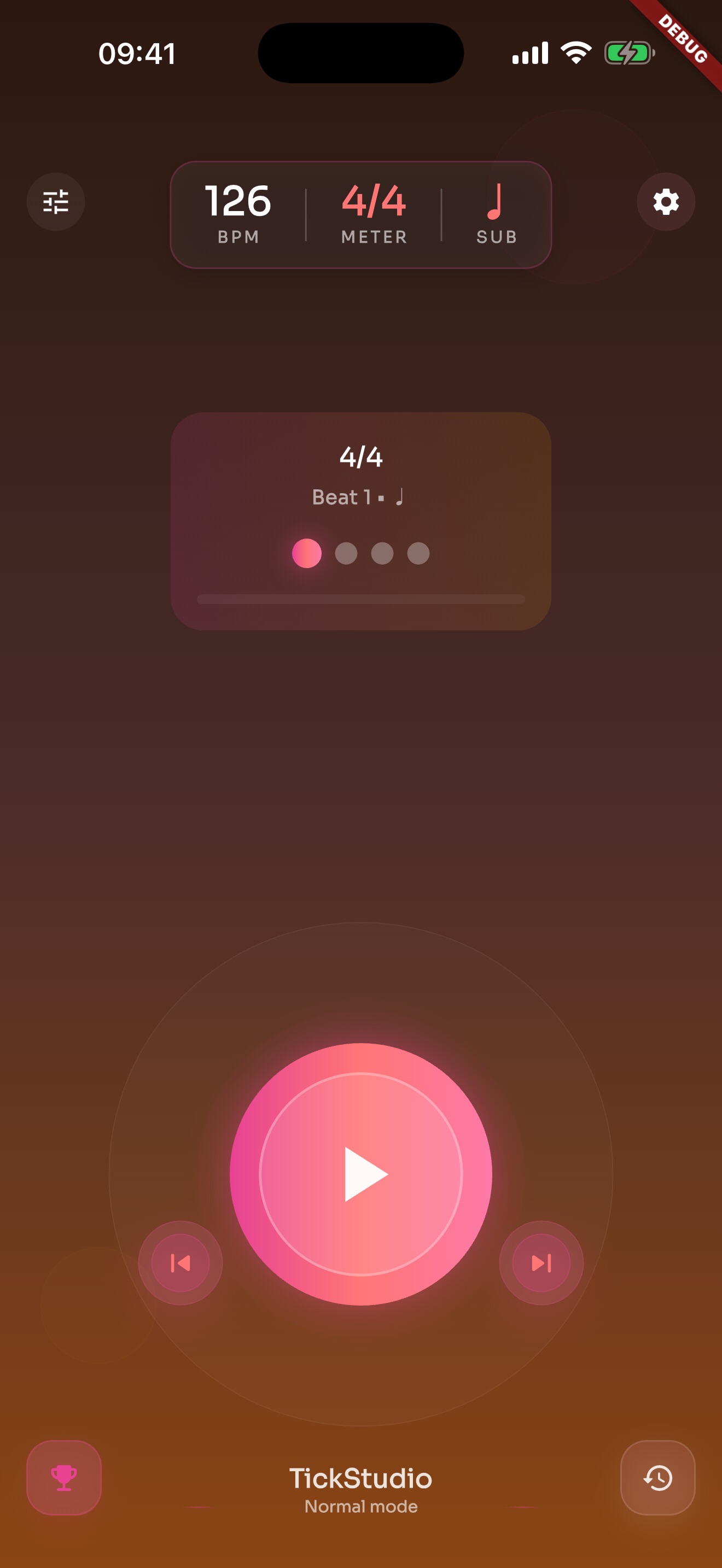
Tap a tempo during rehearsal, then fine-tune it one BPM at a time when you sit down to practice.
Use the slider for big moves, step buttons for exact changes, and Tap Tempo when you are following a song or a teacher.
Common meters, compound meters, and four subdivisions are ready without building a custom pattern first.
Nine click sounds and in-app volume help in headphones, practice rooms, and rehearsal spaces.
Dial in the tempo, save it as a preset, practice at the right speed, then leave a record when you are done.
Set BPM, meter, subdivision, sound, volume, and count-in from the main practice screen.
Turn a song, exercise, lesson example, or rehearsal cue into a preset.
Keep beginner, practice, normal, and challenge tempos inside the same preset.
Recent practice, history, heatmap, goals, and reminders keep the work visible after the click stops.
Tempo, presets, logs, reminders, setlists, and settings are shown with real app screens.
BPM, meter, subdivision, start/stop, and visual beat cues live on one screen.
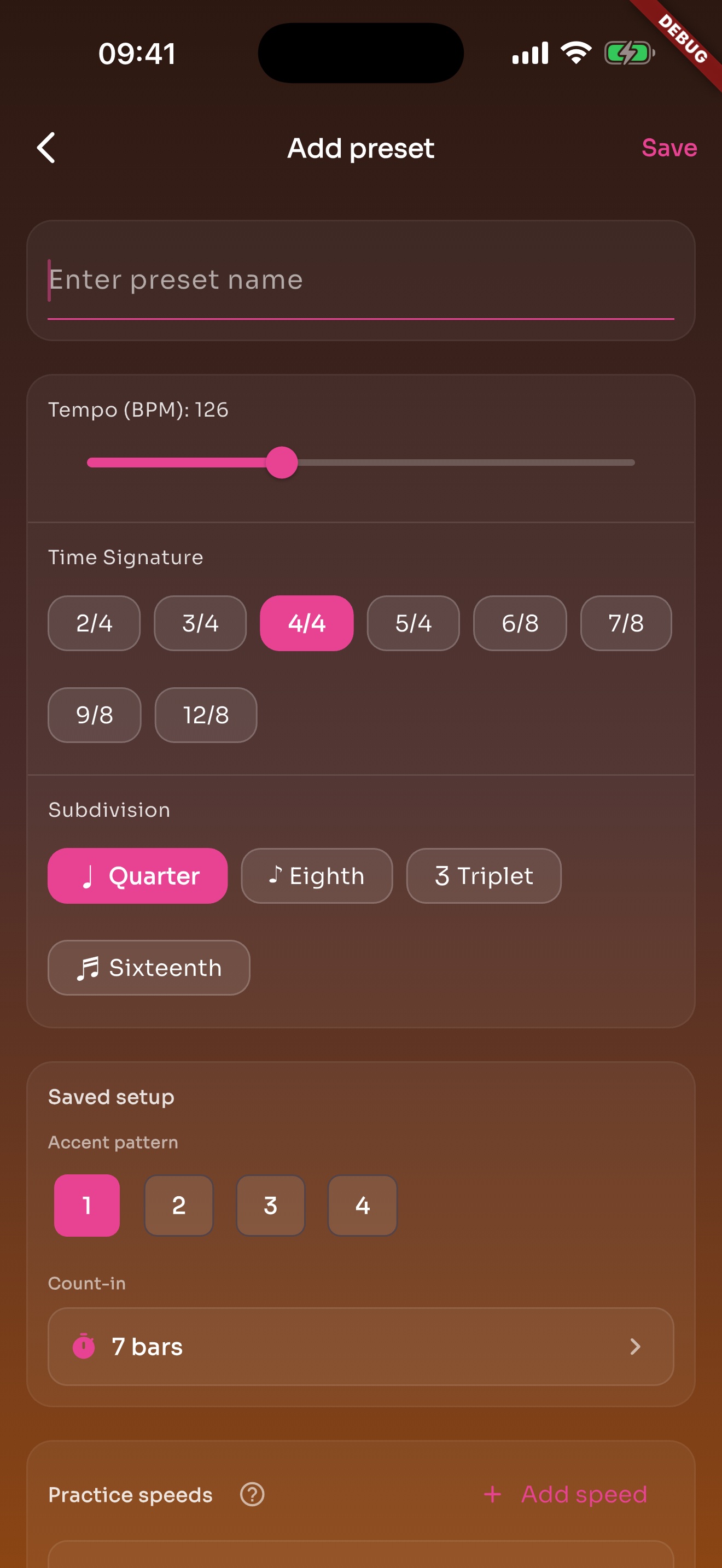
A song or exercise can save BPM, meter, subdivision, sound, volume, count-in, and practice speeds.
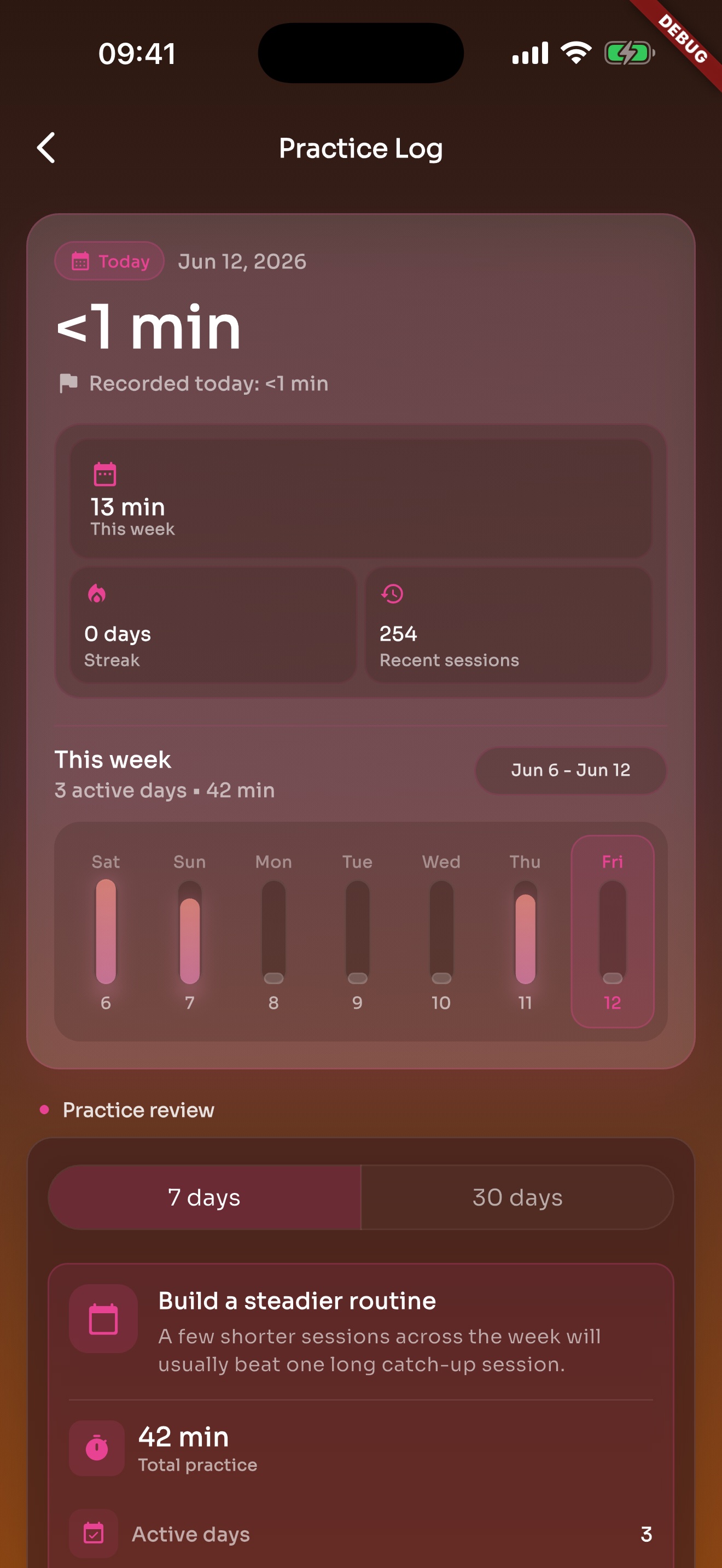
After the click stops, recent practice and history are still there.
Separate pages cover drums, guitar, piano, band rehearsal, live sets, beginners, vocals, dance, teaching, and daily practice.
TickStudio for drummers: clear visual beat, quarter/eighth/triplet/sixteenth subdivisions, speed ladders, song presets, setlists, logs, and heatmap.
Metronome for guitar practice Metronome for guitar practiceTickStudio for guitar practice: Tap Tempo, riffs, chord changes, speed ladders, subdivisions, reminders, calendar, logs, and setlists.
Metronome for piano practice Metronome for piano practiceTickStudio for piano practice: scales, etudes, piece tempos, speed ladders, reminders, calendar, logs, heatmap, and sync.
Metronome for beginners Metronome for beginnersTickStudio for beginners: slower starts, visual beat, subdivisions, practice speeds, reminders, calendar, check-ins, and heatmap.
Metronome for band rehearsal Metronome for band rehearsalTickStudio for band rehearsal: saved song tempos, setlists, Tap Tempo, visual beat, speed ladders, Wi-Fi sync, and rehearsal logs.
Metronome for live performance Metronome for live performanceTickStudio for live performance: saved song tempos, setlists, rehearsal order, Apple Watch, visual beat, setlist export, and pre-show logs.
Daily practice metronome Daily practice metronomeTickStudio for daily practice: reminders, calendar, saved presets, practice logs, goals, achievements, heatmap, and speed ladders.
Metronome for vocal practice Metronome for vocal practiceTickStudio for vocal practice: exact BPM, visual beat, subdivisions, song tempos, phrase timing, reminders, calendar, logs, and setlists.
A preset can store tempo, meter, subdivision, sound, volume, and practice speeds. The next time you practice the same song or exercise, you do not have to rebuild the click.
Recent sessions, history, heatmap, goals, and achievements help you see what you actually practiced this week.
Most days it is just a fast metronome. When the library grows or a show is coming up, sync, setlists, and Watch support are there too.
The same tempo controls work across phone and tablet screens.
When sync is on, presets, favorites, recents, progress, and setlists can follow your devices.
Setlists, Wi-Fi sync, and Apple Watch support help move from solo practice to a room or a set.
The core metronome does not require a TickStudio account. Platform sync uses your own iCloud or Google Drive when you choose to enable it.
For a fast check of what the app does.
A count-in should be quick. Coming back tomorrow should be quick too.
Slider, step buttons, and Tap Tempo stay close so rehearsal changes do not take long.
Common meters, compound meters, and four subdivisions cover most daily practice.
Keep beginner, practice, normal, and challenge tempos inside one preset.
Presets, favorites, recents, search, and sync keep repeated work from being rebuilt.
Logs, heatmap, goals, and achievements make recent practice easier to remember.
Setlists, Wi-Fi sync, and Apple Watch support help prepare the next song tempo.
Download TickStudio, save the setups you repeat, and start from the right tempo next time.