Use a slower working tempo
Beginner and practice speeds leave room for touch, coordination, and even rhythm.
Scales, etudes, and pieces do not share one BPM. Save slow practice, target tempo, and the piece name so tomorrow does not start with guessing.
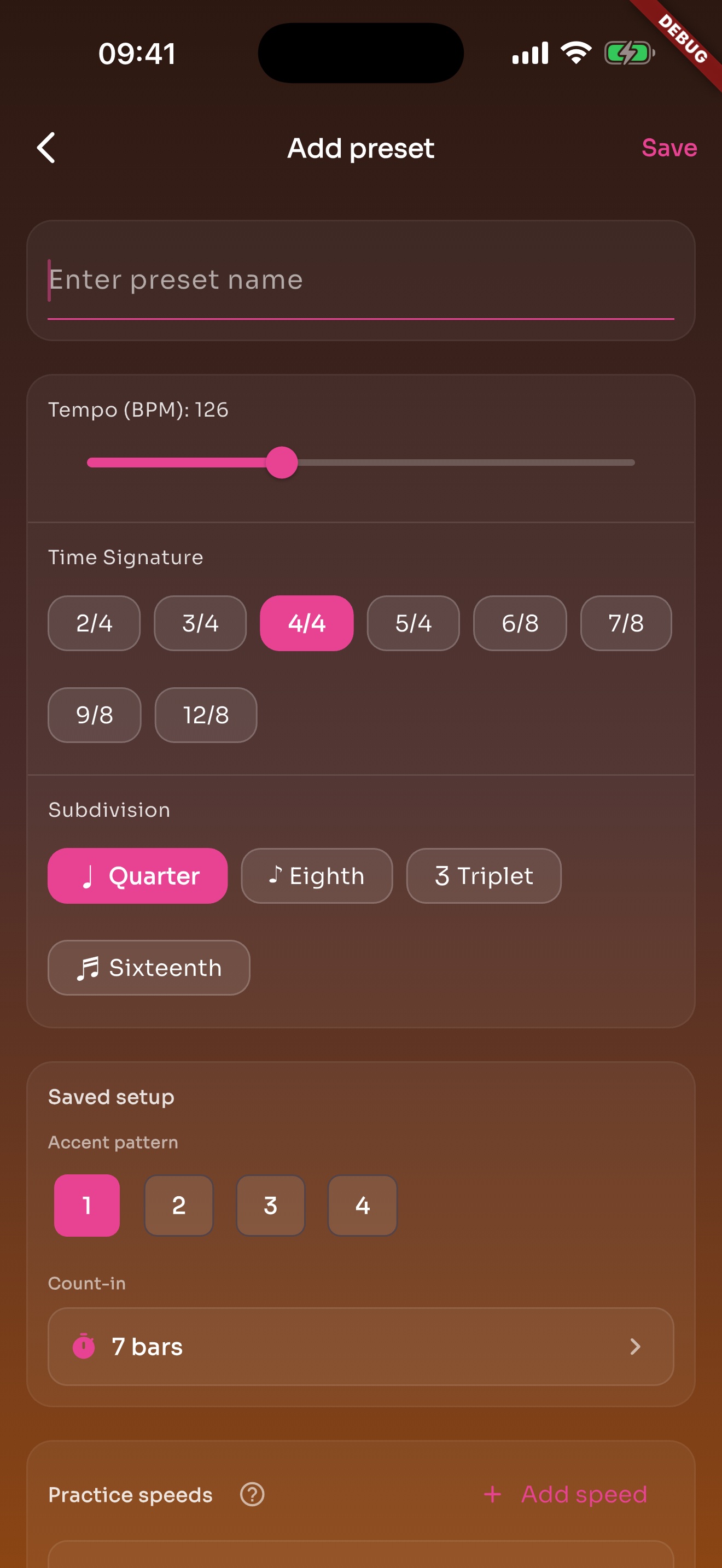
Beginner and practice speeds leave room for touch, coordination, and even rhythm.
Normal and challenge tempos stay in the same preset while you work slowly.
Subdivisions make rushed notes, dotted rhythms, and transitions easier to catch.
Scales, etudes, movements, and accompaniment parts can each keep their own settings.
Favorites, recents, and search keep regular piano work close.
iOS uses iCloud, Android uses Google Drive, and no TickStudio account is needed.
Working tempo, target tempo, and challenge tempo can live in one preset.
Students open the same metronome setup instead of reading one number in a notebook.
Recent practice and history make follow-up more concrete.
Exam prep, pieces, and daily scales can claim a real time block.
A local reminder brings you back to the piano and can be turned off.
Logs, goals, and heatmap show whether practice continued.
Each page uses real app screens such as tempo settings, preset editing, practice logs, reminders, heatmap, setlists, and Wi-Fi sync.
A song or exercise can save BPM, meter, subdivision, sound, volume, count-in, and practice speeds.
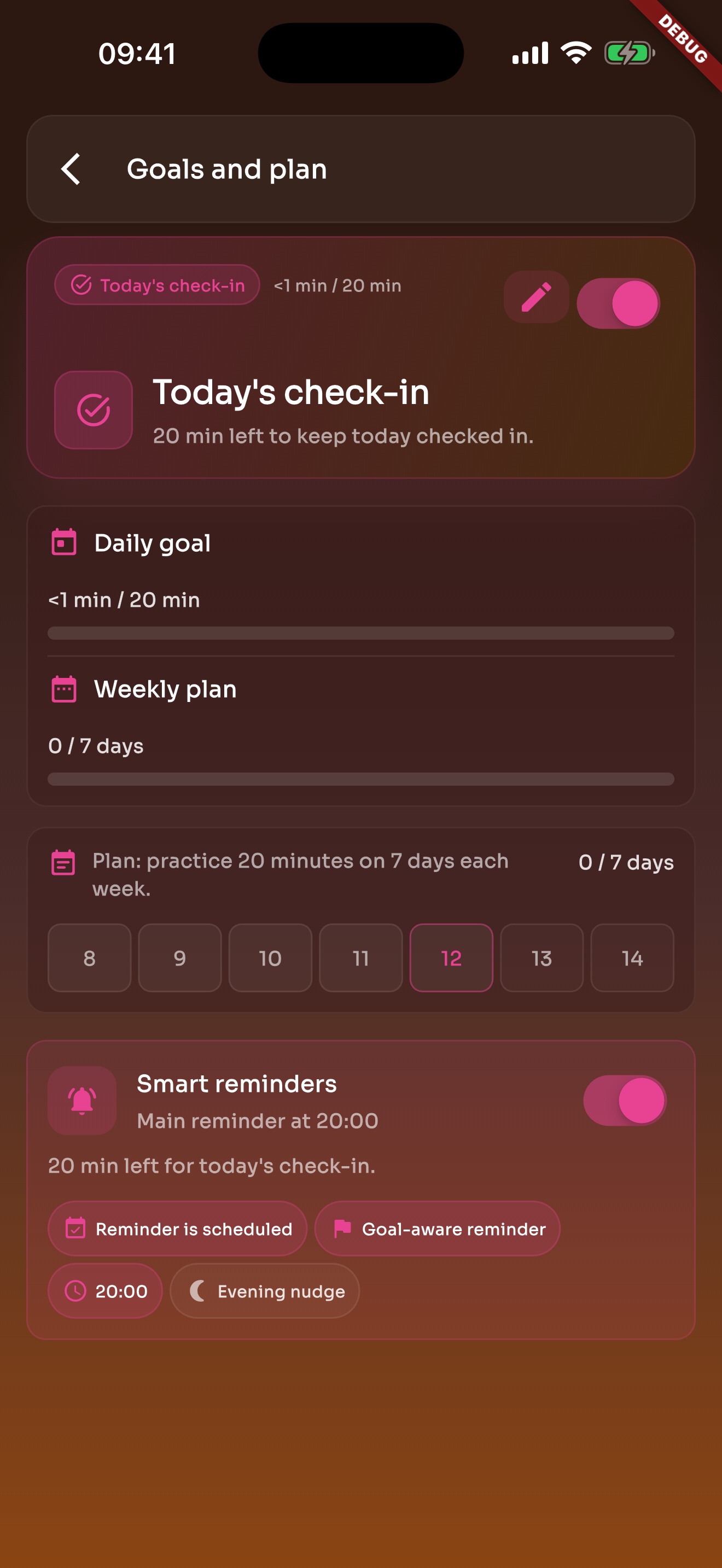
Daily goals and weekly plans bring you back to practice without turning it into heavy admin work.
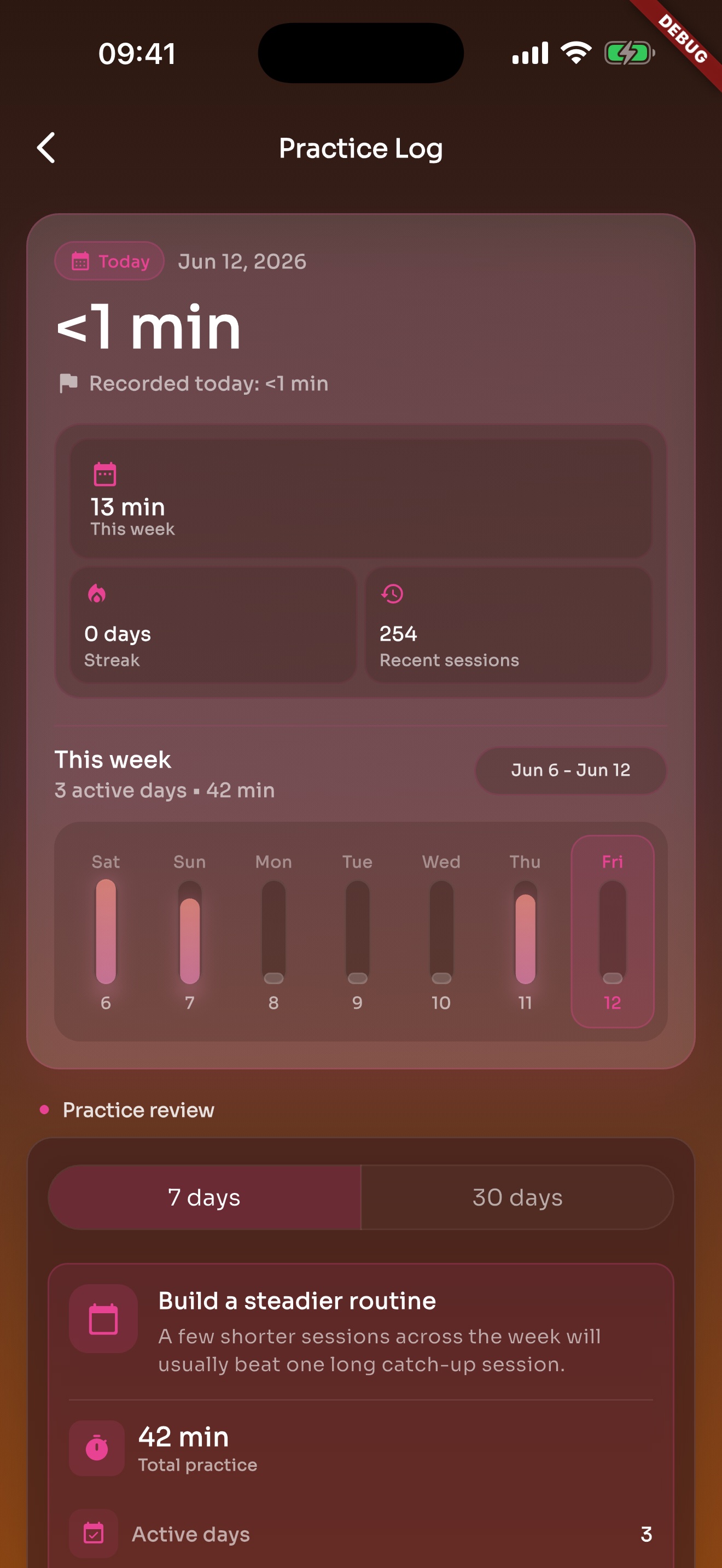
After the click stops, recent practice and history are still there.
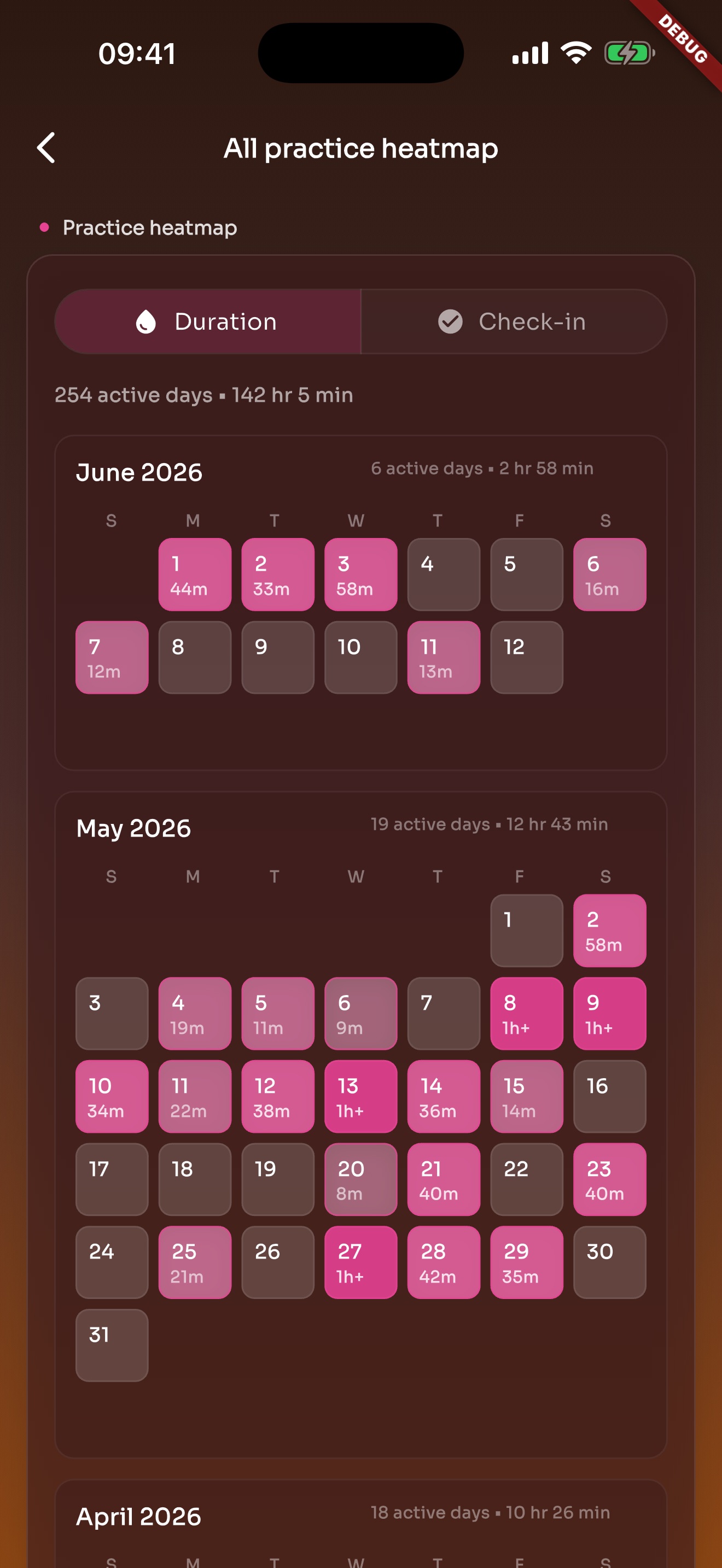
Heatmap turns practice into active days on a calendar, making consistency and gaps easier to see.
Keep scales, etudes, pieces, and assignments separate so the next practice does not start with a BPM guess.