Save each song
BPM, meter, subdivision, sound, volume, count-in, and speed ladder stay with the song.
Stage is not the place to search presets. Build the song order before the show and remove one decision before count-in.
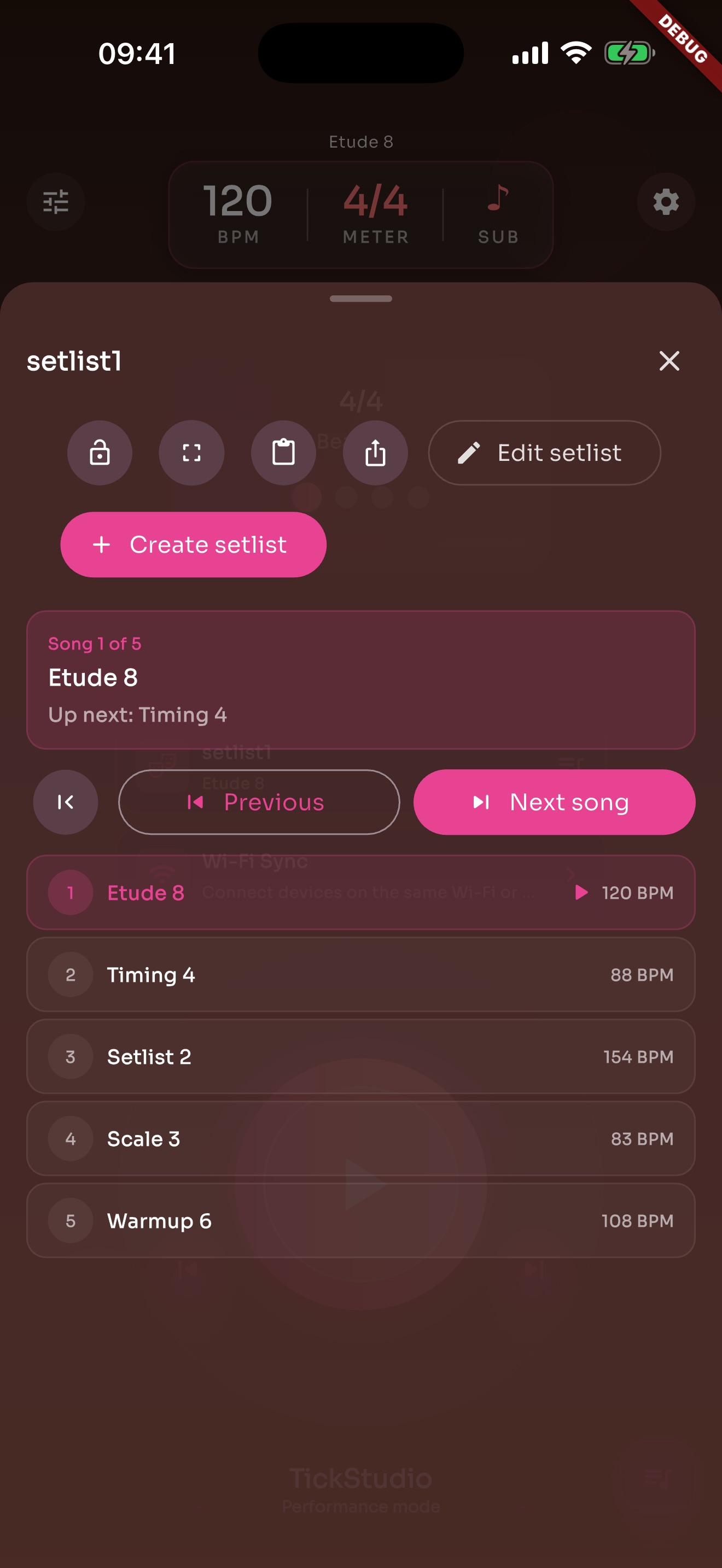
BPM, meter, subdivision, sound, volume, count-in, and speed ladder stay with the song.
Stage order sits in one list instead of being searched song by song.
Import/export helps when changing devices, backing up, or reusing a previous show.
Apple Watch or a performance-style view helps when the phone is not in hand.
When monitors, room sound, or lighting make listening harder, the visual beat still reads.
Setlist practice makes transitions closer to the actual performance.
The BPMs confirmed in rehearsal can be checked again before the set.
If one song needs a different BPM live, save it on the song instead of leaving it as a spoken note.
iOS can use iCloud and Android can use Google Drive to bring supported library data to another device.
Pre-show checks or final rehearsal can leave a record.
History and recents show what keeps coming back.
Copy and adjust a previous setlist instead of starting from nothing.
Each page uses real app screens such as tempo settings, preset editing, practice logs, reminders, heatmap, setlists, and Wi-Fi sync.
Arrange song presets in rehearsal or stage order so the next tempo is ready.
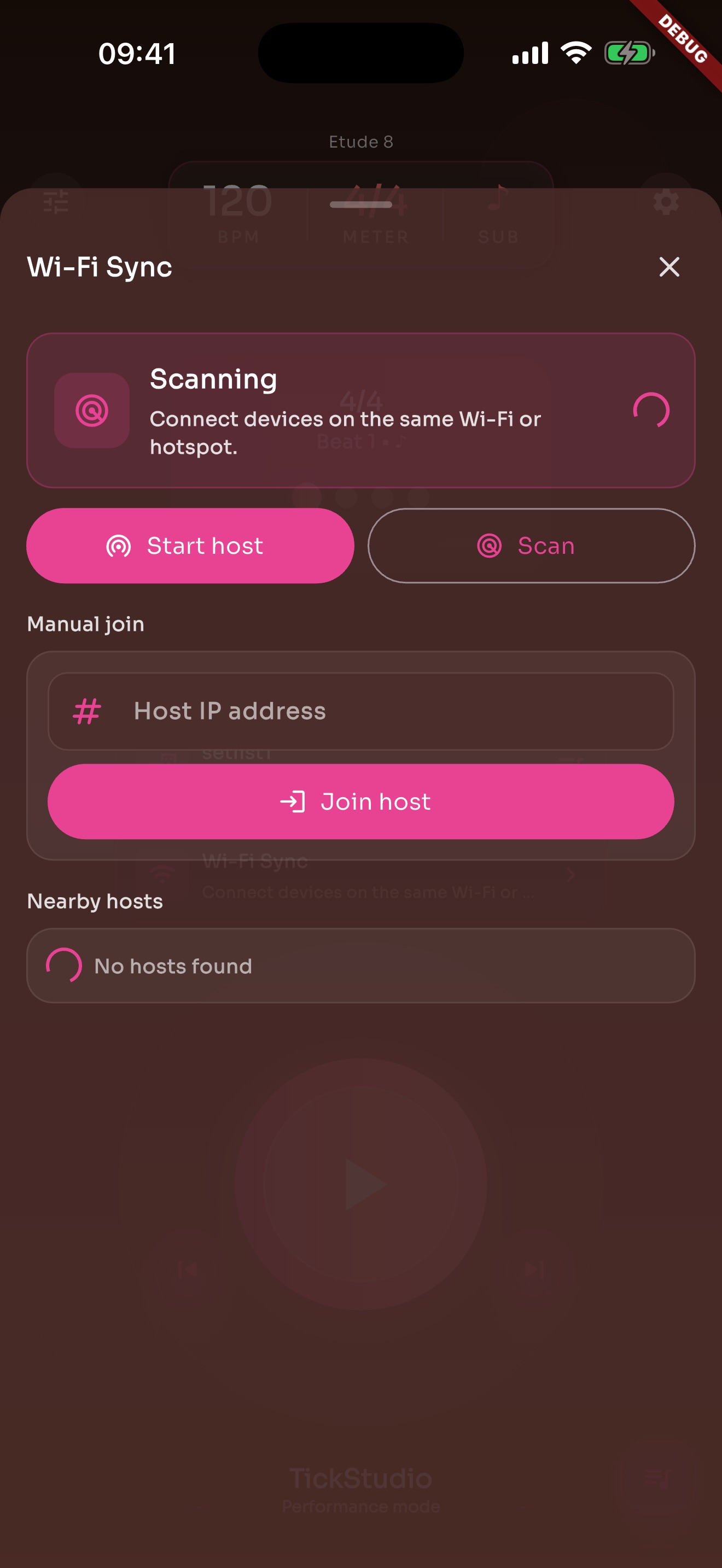
When one phone screen is not enough, local Wi-Fi sync can help supported devices stay aligned.
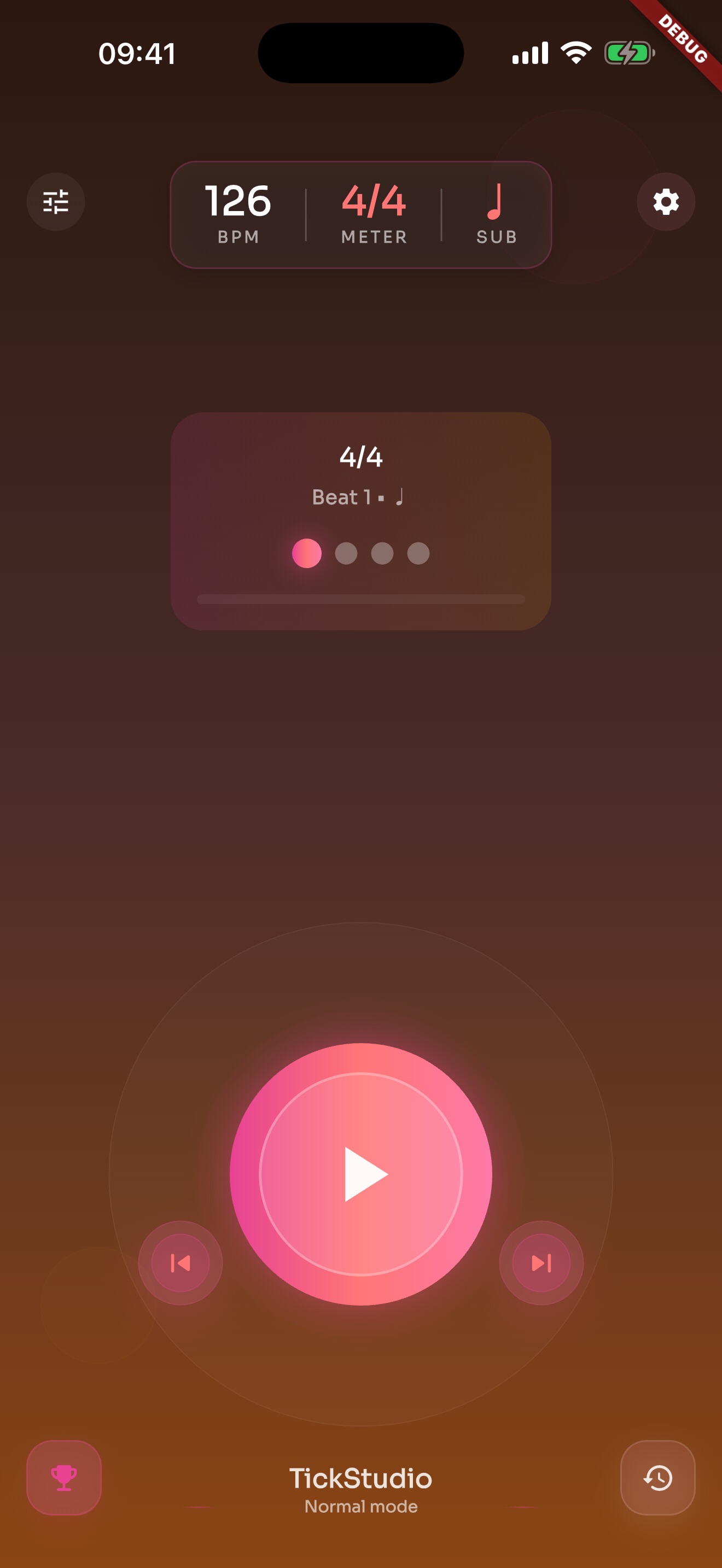
BPM, meter, subdivision, start/stop, and visual beat cues live on one screen.
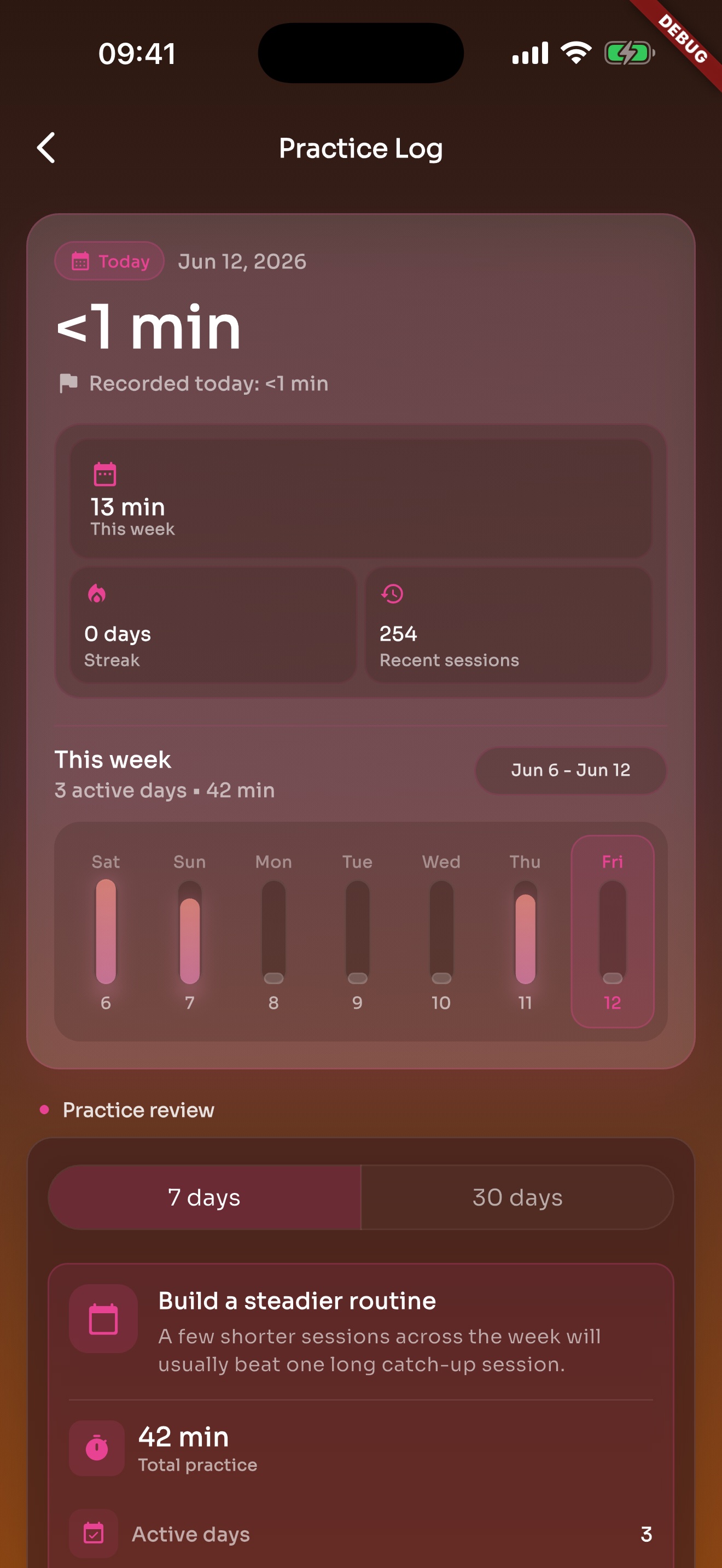
After the click stops, recent practice and history are still there.
Put song tempos in stage order so the next count-in is ready.