Show the beat first
Visual beat cues help students connect the click to the movement or phrase.
One BPM can change shape after the lesson. Save meter, subdivision, count-in, and starting speed with it so the assignment is easier to repeat.
Visual beat cues help students connect the click to the movement or phrase.
BPM, meter, subdivision, sound, and count-in are quick to adjust without eating the lesson.
Beginner speed makes it clear that target tempo is not the first step.
Piece, BPM, meter, subdivision, count-in, sound, and speed ladder can stay in one preset.
Students receive a setting they can open, not only a vague instruction to practice slowly.
The same piece can have different starting tempos for different students.
Students can turn lesson work into a local reminder.
A fixed practice block can go into the student's day.
History, goals, and heatmap make the next lesson more concrete.
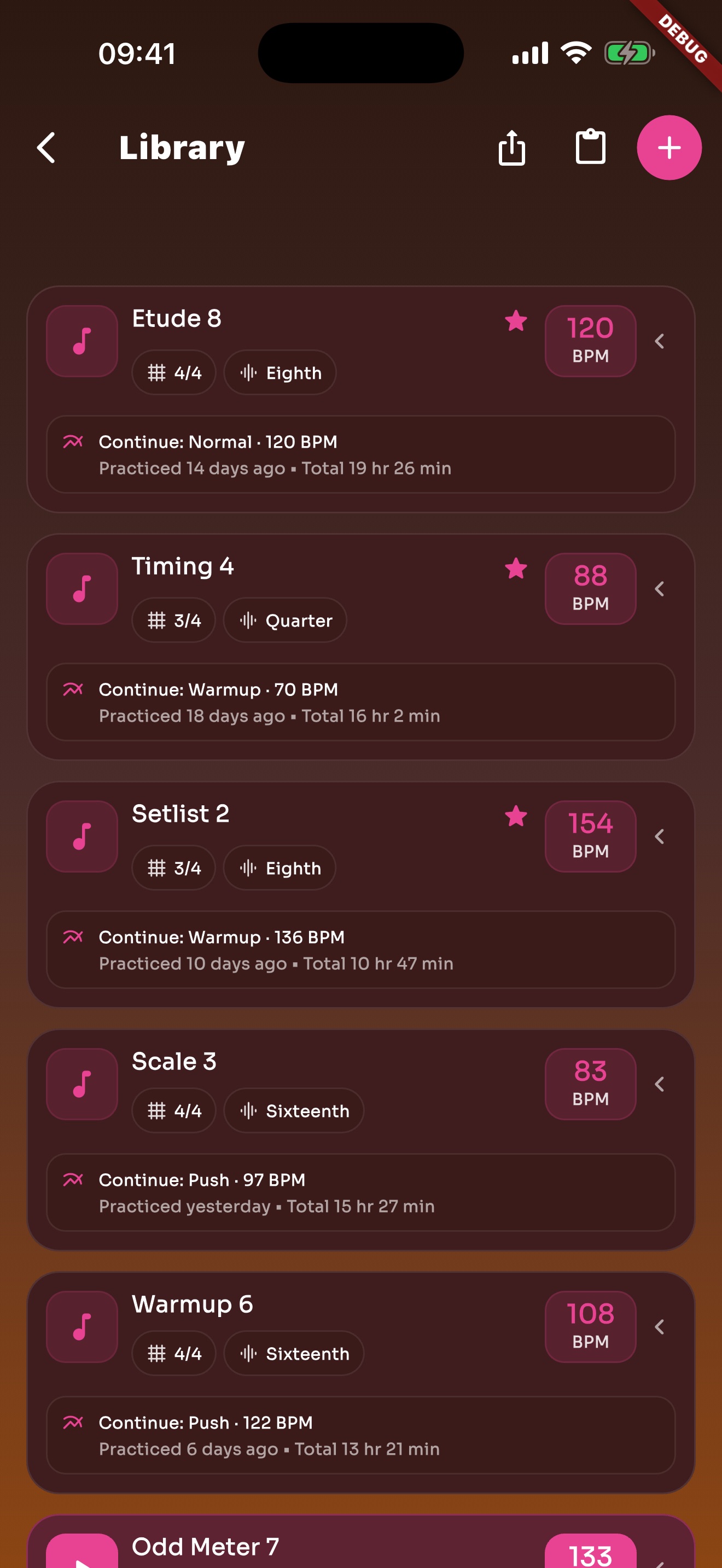
Warmups, scales, sight-reading, and rhythm work can live in the library.
Setlists can organize lesson material or ensemble rehearsal items.
Core practice works locally. Sync uses iCloud or Google Drive when enabled.
Each page uses real app screens such as tempo settings, preset editing, practice logs, reminders, heatmap, setlists, and Wi-Fi sync.
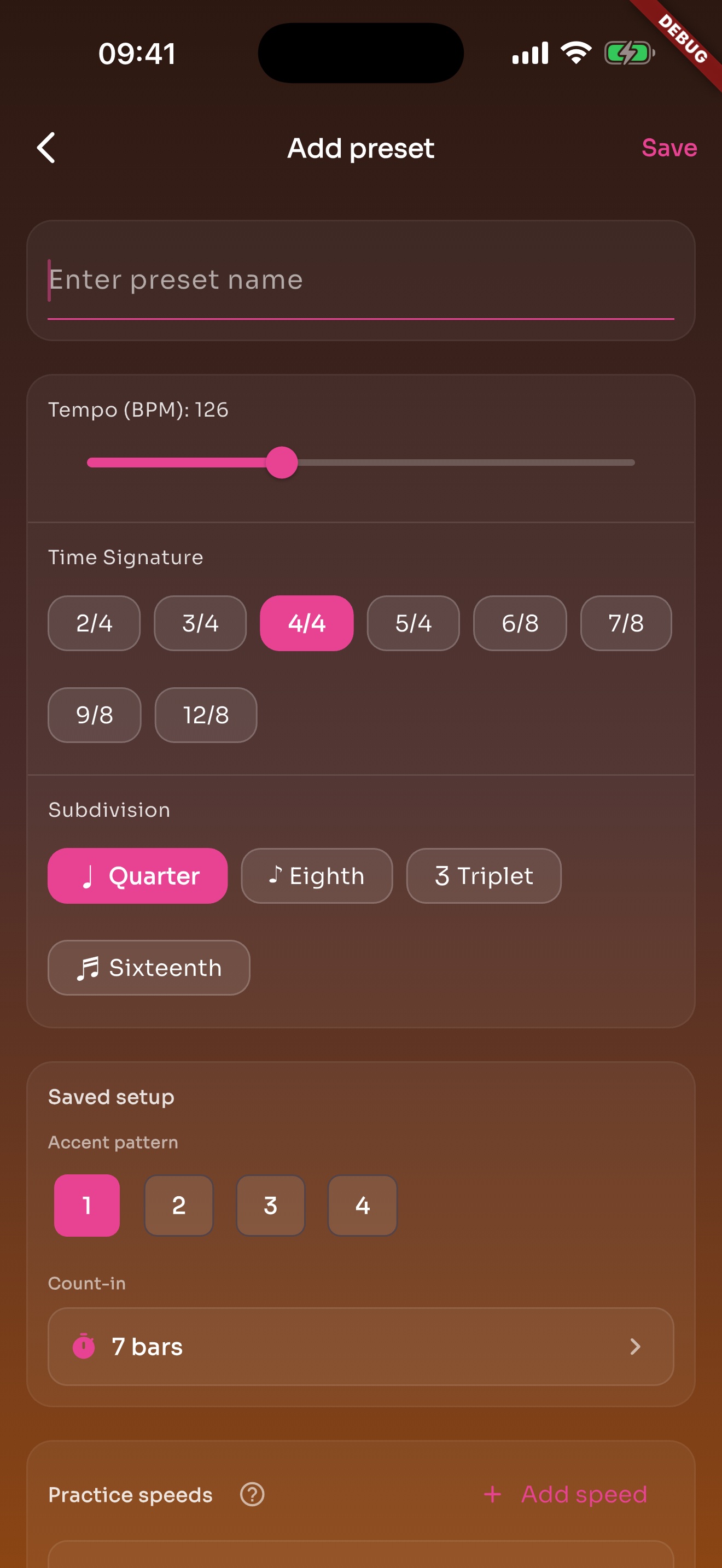
A song or exercise can save BPM, meter, subdivision, sound, volume, count-in, and practice speeds.
Songs, exercises, favorites, and recents stay in the library so repeated work is not rebuilt.
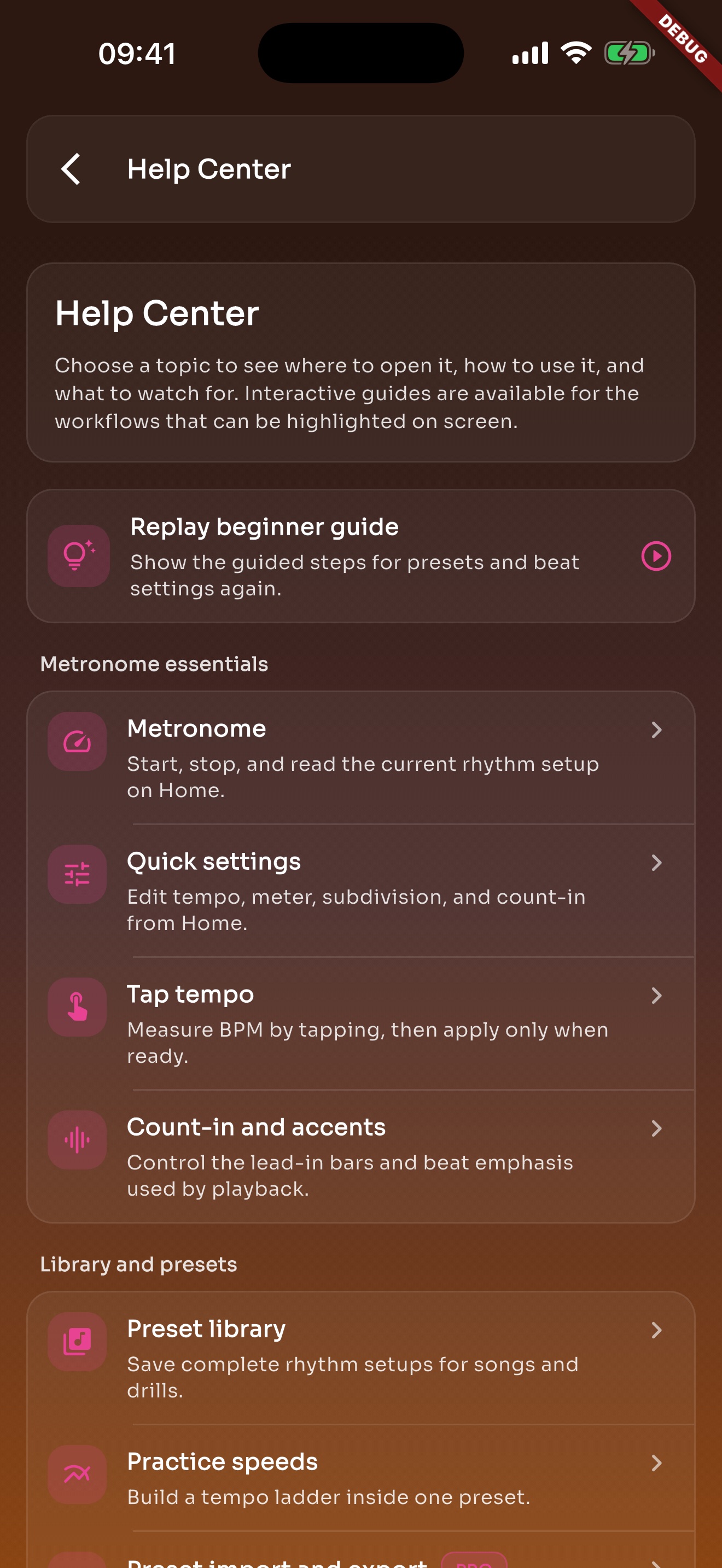
Metronome, presets, Tap Tempo, and practice speed questions can be read inside the app.
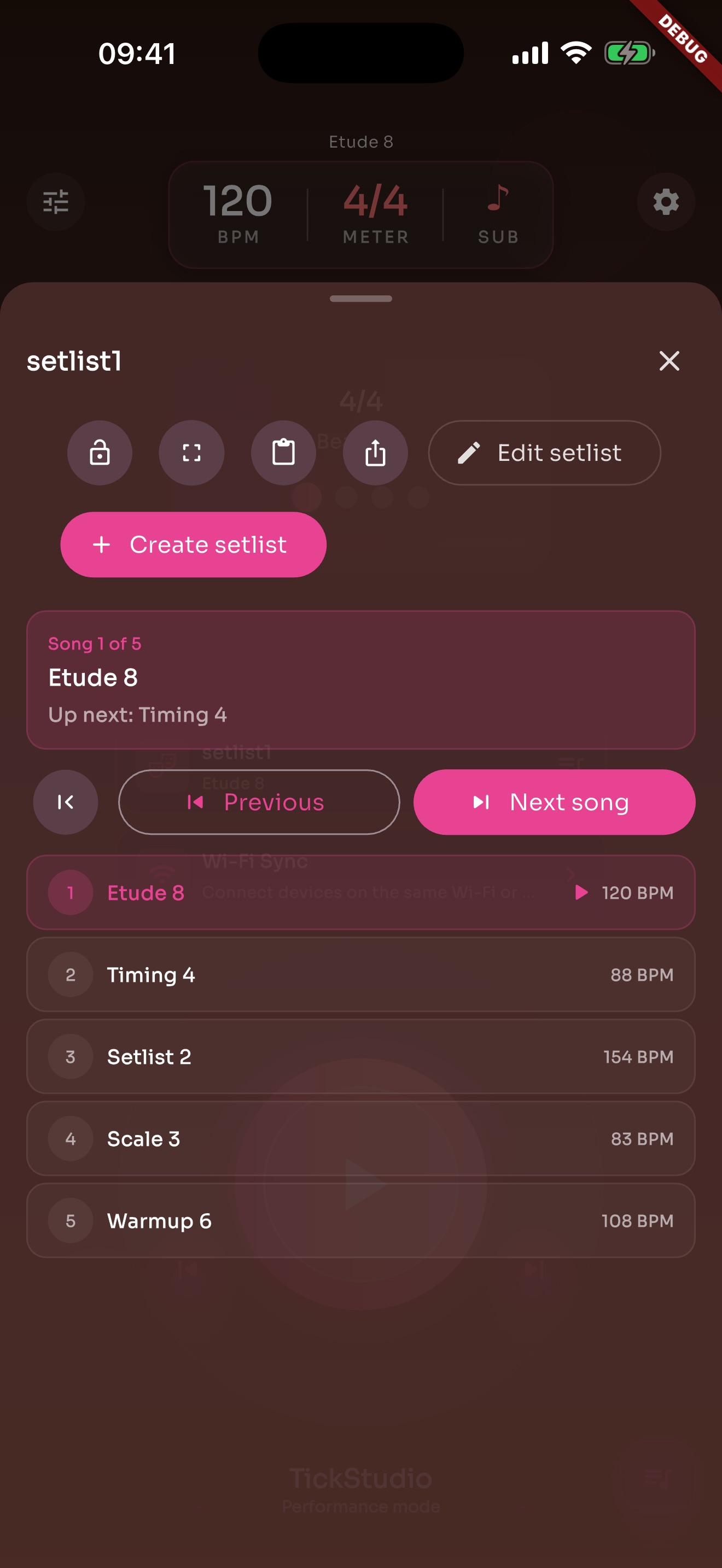
Arrange song presets in rehearsal or stage order so the next tempo is ready.
Keep BPM, meter, subdivision, sound, count-in, and practice speeds together so students can reopen the same setup.